








Slow internet can be frustrating, especially when you’re trying to work, stream videos, attend online meetings, or browse websites. Fortunately, most internet speed problems can be fixed without technical expertise. Whether you’re experiencing slow WiFi, buffering videos, or delayed downloads, this guide will help you identify the cause and improve your connection.
What Causes Slow Internet?
There are many reasons why your internet may be running slower than expected. Common causes include weak WiFi signals, outdated routers, network congestion, background downloads, too many connected devices, malware infections, and even issues from your internet service provider (ISP). Identifying the root cause is the first step toward improving your internet speed.
How to Check Your Internet Speed
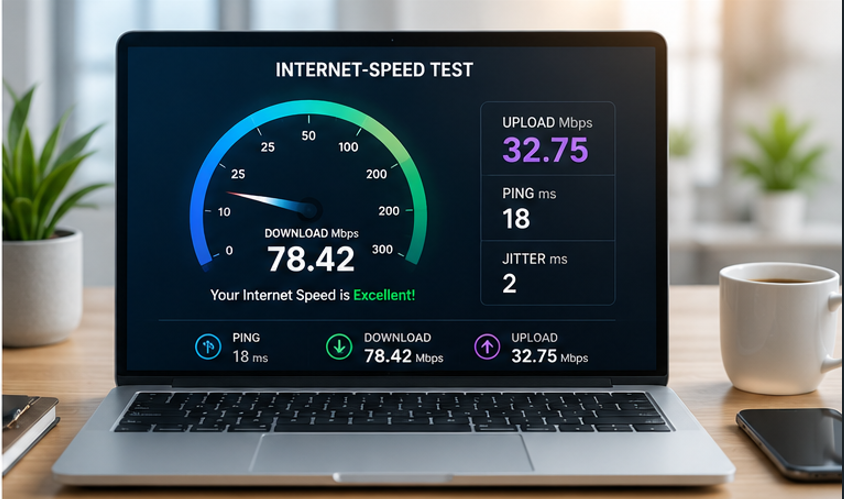
Before troubleshooting, perform a speed test using a reliable internet speed testing tool. Compare the results with the speed promised by your ISP. If the actual speed is significantly lower, there may be a network or hardware issue that needs attention.
15 Proven Ways to Fix Slow Internet
1. Restart Your Router and Modem
A simple restart can clear temporary network issues and improve performance.
2. Move Closer to Your Router
Distance and physical obstacles can weaken WiFi signals.
3. Use an Ethernet Connection
A wired connection is often faster and more stable than WiFi.
4. Limit Connected Devices
Too many devices sharing the same connection can reduce available bandwidth.
5. Pause Background Downloads
Software updates, cloud backups, and streaming services can consume significant bandwidth.

6. Update Your Router Firmware
Manufacturers regularly release updates that improve performance and security.
7. Change Your WiFi Channel
Wireless interference from neighboring networks can slow down your connection.
8. Upgrade to a Dual-Band Router
Modern routers offer better performance and reduced interference.
9. Scan for Malware and Viruses
Malicious software can consume bandwidth and slow down devices.
10. Reposition Your Router
Place it in a central, elevated location away from walls and electronic devices.
11. Use a WiFi Extender
Large homes and offices may require additional coverage.
12. Clear Browser Cache
A cluttered browser can affect website loading times.
13. Disable Unused Applications
Background apps can consume network resources.
14. Contact Your Internet Service Provider
There may be service disruptions or line issues affecting your connection.
15. Upgrade Your Internet Plan
If your usage has increased, your current package may no longer be sufficient.
Recommended Internet Speeds
Different online activities require different internet speeds.
- Email & Web Browsing: 1–5 Mbps
- HD Video Streaming: 5–10 Mbps
- Video Conferencing: 10–20 Mbps
- Online Gaming: 20–50 Mbps
- 4K Streaming: 25+ Mbps
- Smart Homes & Multiple Users: 100+ Mbps
When Should You Upgrade Your Internet Package?
If you’ve tried all troubleshooting steps and still experience slow speeds, your current internet plan may not meet your household or business requirements. Upgrading to a faster package can improve streaming quality, reduce buffering, and support multiple connected devices more effectively.
Final Thoughts
Slow internet doesn’t always mean you need a new service provider. In many cases, simple adjustments such as restarting your router, improving WiFi coverage, reducing network congestion, or updating hardware can dramatically improve internet performance. By following these proven solutions, you can enjoy a faster and more reliable online experience.
Frequently Asked Questions
A strong WiFi signal doesn’t always guarantee fast internet speeds. Network congestion, ISP issues, background downloads, malware, or overloaded routers can all affect performance.
Restarting your router every few weeks can help clear temporary issues and maintain optimal performance.
Yes. Every connected device uses bandwidth. Streaming, gaming, video calls, and downloads on multiple devices can reduce overall speed.
For video conferencing, cloud applications, and general productivity, speeds of at least 25 Mbps are recommended for a smooth experience.
Yes. Ethernet connections are generally faster, more stable, and less susceptible to interference than wireless connections.
Internet speeds often decrease during peak usage hours when many people in your area are using the network simultaneously.
Yes. Malware and viruses may consume bandwidth in the background and reduce device performance.
If your router is more than 4–5 years old, upgrading to a modern dual-band or WiFi 6 router can significantly improve speed and coverage.
Most streaming services recommend at least 25 Mbps for smooth 4K video playback.
If you’ve completed all troubleshooting steps and still experience slow speeds, contact your ISP to check for outages, line issues, or account-related problems.


