





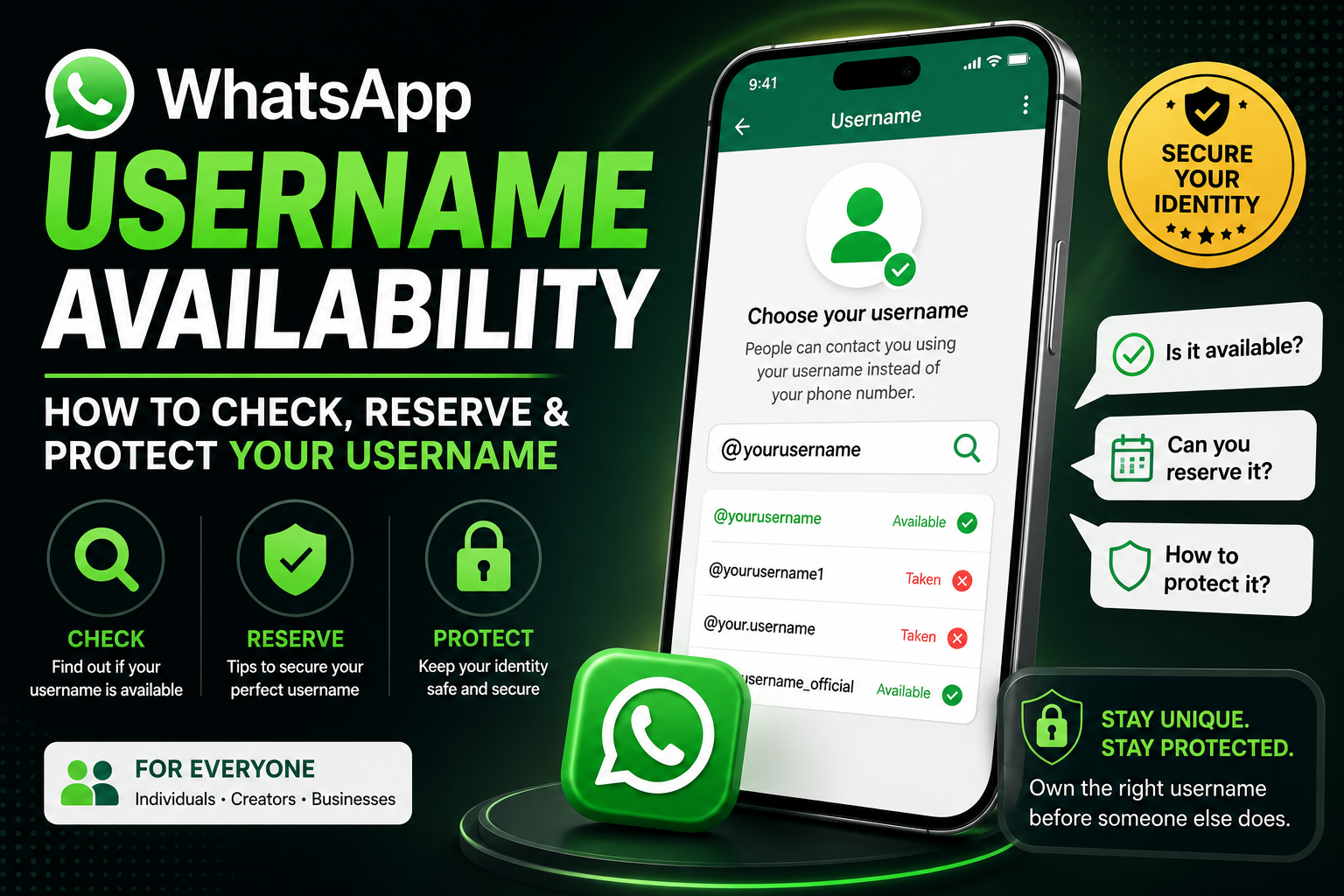

As WhatsApp introduces its new Username feature, one of the first questions users ask is:
“Is my preferred WhatsApp Username still available?”
Whether you want your personal name, business brand, or creator identity, securing the right username can help people find you more easily while supporting your online identity.
Since every WhatsApp Username is unique, popular names may be claimed quickly once the feature becomes widely available.
In this guide, you’ll learn how to check WhatsApp Username availability, what to do if your preferred username is already taken, whether you can reserve a username, and practical ways to protect your personal or business identity.
What Is WhatsApp Username Availability?
Username availability simply means whether a specific username is still available for you to register.
For example:
@johnIf another user already owns it, you’ll need to choose another available username.
Because each username is unique, only one account can use a particular username at any given time.
Why Your Username Matters
Your username becomes part of your online identity.
Choosing the right username helps you:
- Build a recognizable personal brand
- Make it easier for friends to find you
- Improve business recognition
- Maintain consistency across social media platforms
- Protect your digital identity
Many users try to match their WhatsApp Username with usernames already used on Instagram, Facebook, TikTok, X, LinkedIn, or YouTube.
How to Check WhatsApp Username Availability
Once the Username feature is available on your account:
Step 1
Open WhatsApp.
Step 2
Go to Settings.
Step 3
Open your profile.
Step 4
Tap Username.
Step 5
Enter your preferred username.
WhatsApp will automatically indicate whether it is available.
If it’s already in use, you’ll be prompted to choose another username.
Can You Reserve a WhatsApp Username?
This is one of the most common questions.
At the time of writing, WhatsApp has not announced a public reservation system for usernames.
That means:
- You generally cannot reserve a username before it becomes available to your account.
- Availability depends on WhatsApp’s rollout and the current registration status of the username you want.
If Meta introduces a reservation or verification program in the future, users should refer to official WhatsApp announcements for the latest information.
What Happens If Your Preferred Username Is Already Taken?
If your ideal username isn’t available, don’t panic.
Instead of choosing a random name, consider these alternatives:
Add Your Profession
@johndesigner@alexchefAdd Your Location
@janakalondon@travelnyAdd Your Business Name
@lemarketing

@smithphotography
Add Initials
@johnrw

@sarahm
A simple variation is usually easier to remember than adding long strings of numbers.
Can Businesses Reserve Their Brand Name?
Businesses often want to protect their brand identity.
If your preferred brand name isn’t available, avoid impersonation or misleading variations.
Instead:
- Use your official business name.
- Keep usernames consistent across platforms.
- Register your username as soon as the feature becomes available to your account.
Large organizations with trademarks may have additional protections through Meta’s policies if disputes arise, but the exact process depends on WhatsApp’s current policies.
How to Protect Your WhatsApp Username
Once you’ve chosen a username, take steps to secure it.
Enable Two-Step Verification
This adds an extra layer of account protection.
Keep Your Recovery Information Updated
Use a trusted email address if recovery options are available.
Avoid Sharing Verification Codes
Never share one-time verification codes with anyone.
Use a Strong Device Passcode
Protect your phone with:
- Fingerprint
- Face ID
- PIN
- Password
Review Privacy Settings
Regularly check who can see:
- Profile Photo
- About
- Last Seen
- Online Status
- Status Updates
Tips for Choosing a Username That Lasts
A great username should be:
✅ Short
✅ Easy to spell
✅ Easy to pronounce
✅ Professional
✅ Consistent with your other social media accounts
Examples:
- @janaka
- @lemarketing
- @travellife
- @techguru
- @healthyrecipes
Avoid:
- Random numbers
- Long usernames
- Difficult spellings
- Offensive words
- Fake brand names
Should You Match Your Other Social Media Usernames?
Yes.
Using the same username across platforms helps:
- Improve personal branding
- Increase recognition
- Build trust
- Make it easier for people to find you
For example:
Instagram:
@lemarketing
Facebook:
@lemarketing
WhatsApp:
@lemarketing
This creates a consistent online identity.
Common Username Availability Questions
Why can’t I register the username I want?
Someone else may already be using it, or it may not meet WhatsApp’s requirements.
Can inactive usernames become available?
WhatsApp has not publicly detailed how inactive usernames may be handled, so availability could depend on future platform policies.
Can I buy someone else’s username?
No.
Avoid offers from third parties claiming they can sell or transfer WhatsApp usernames, as these may be fraudulent.
Can WhatsApp remove a username?
If a username violates WhatsApp’s Terms of Service or infringes on another party’s rights, WhatsApp may take action in accordance with its policies.
Best Practices for Businesses
If you run a business:
- Secure your brand username early.
- Keep it consistent across platforms.
- Use your official business name.
- Avoid unnecessary symbols.
- Enable account security features.
Final Thoughts
Your WhatsApp Username is more than just a name—it becomes part of your digital identity. Choosing a clear, memorable username and securing it early can help you build trust, improve discoverability, and create a consistent online presence.
If your preferred username isn’t available, choose a professional variation rather than a confusing alternative. Stay informed about new WhatsApp updates, follow official guidance, and keep your account secure so your username remains associated with your brand or personal identity.
Frequently Asked Questions
Open WhatsApp > Settings > Profile > Username, then enter your preferred username. If the feature is available for your account, WhatsApp will indicate whether the username can be used.
At the time of writing, WhatsApp has not announced a public username reservation system.
Choose a memorable variation by adding your profession, location, initials, or business name while keeping it simple and easy to recognize.
Businesses should register their preferred username as soon as the feature becomes available and keep branding consistent across platforms. Trademark-related issues are handled according to Meta’s applicable policies.
If WhatsApp allows username changes for your account, you can update it, subject to availability and platform rules.
Once a username is assigned to your account, protect your account with Two-Step Verification and good security practices. Follow WhatsApp’s official guidance for any account-related concerns.
Yes, if it is available on both platforms. Consistent usernames can strengthen your personal or business brand.
Follow the formatting and behavior shown within the WhatsApp app when creating your username.


