






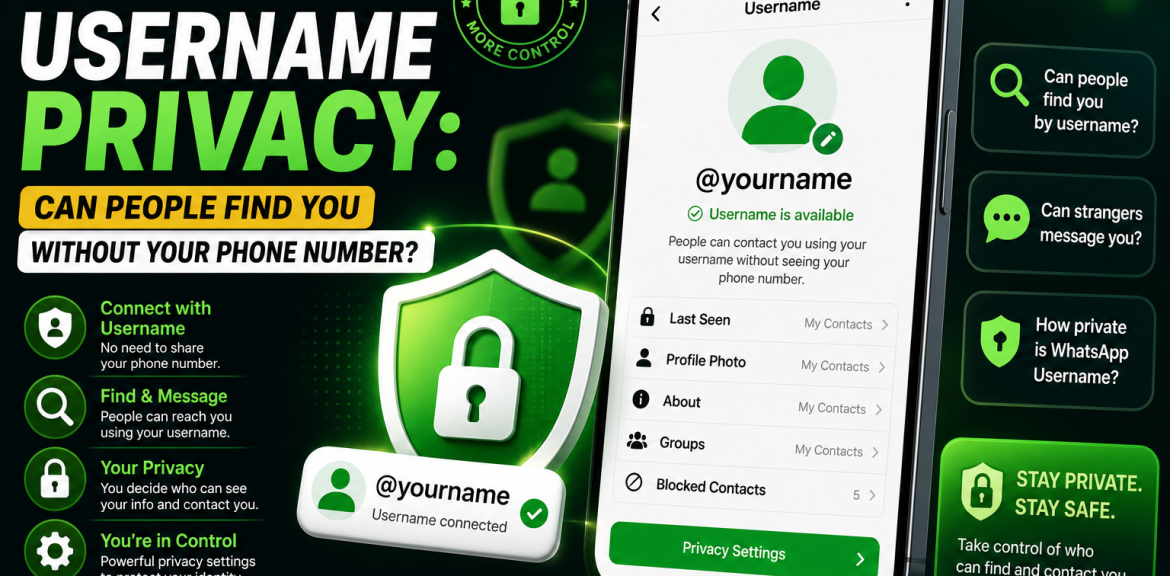

For years, one of the biggest privacy concerns with WhatsApp has been the need to share your phone number before someone could contact you. Whether you’re communicating with clients, selling products online, networking professionally, or simply meeting new people, exposing your personal phone number isn’t always ideal.
That’s where WhatsApp Usernames come in. This new feature is designed to give users another way to connect while reducing the need to share their mobile numbers directly.
But many people are asking:
- Can someone find me using only my WhatsApp Username?
- Will my phone number still be visible?
- Can strangers message me?
- How private are WhatsApp Usernames?
In this guide, we’ll explain how WhatsApp Username privacy works, what information may be visible to others, and the best practices for keeping your account secure.
Why Is Privacy So Important on WhatsApp?
WhatsApp is one of the world’s most widely used messaging platforms, with billions of users relying on it for personal conversations, business communication, customer support, and community groups.
Sharing your phone number publicly can sometimes lead to:
- Spam messages
- Unwanted calls
- Marketing messages
- Fraud attempts
- Social engineering attacks
- Identity impersonation
Usernames are designed to give users more control over how they share their identity.
What Is a WhatsApp Username?
A WhatsApp Username is a unique identifier linked to your account.
Instead of sharing your mobile number directly, you may be able to share your username with others, depending on how WhatsApp implements the feature and your privacy settings.
For example:
@janaka
@lemarketing
@travelwithalex
Each username is unique and helps people identify the correct account.
Can People Find You Without Your Phone Number?
One of the most common questions is whether someone can locate your WhatsApp account using only your username.
The purpose of usernames is to make it easier to connect without exchanging phone numbers in many situations. However, exactly how people can search for usernames and what information they see depends on WhatsApp’s implementation and your privacy settings.
If WhatsApp enables username search, users may be able to find you using your username instead of your mobile number.
Will My Phone Number Still Be Visible?
Your phone number remains linked to your WhatsApp account.
However, usernames are intended to reduce the need to share your number directly when starting conversations.
Exactly when your phone number is shown—or hidden—depends on WhatsApp’s privacy controls and the way the feature is implemented.
Who Can See Your WhatsApp Username?
Your username is designed to identify your account.
Depending on WhatsApp’s implementation, it may be visible to:
- People you choose to share it with
- Contacts who interact with your account
- Users who search for your username (if search is supported)
Review your privacy settings regularly to understand what information is visible to others.
Can Strangers Message You Using Only Your Username?
If username-based messaging is available, someone may be able to start a conversation using your username instead of your phone number.
However, WhatsApp’s privacy settings, blocking features, and spam protection remain important tools for controlling who can contact you.
Does a Username Make WhatsApp More Private?
For many users, yes.
Potential benefits include:
- Less need to share your personal phone number
- Easier communication with new contacts
- Better separation between personal and professional conversations
- Improved privacy for creators, freelancers, and businesses
A username doesn’t replace good privacy practices, but it can reduce unnecessary exposure of your phone number.
Best Privacy Settings to Review
To improve your privacy, check these settings in WhatsApp:
Last Seen & Online
Choose who can view your activity status.
Profile Photo
Limit visibility to trusted contacts if preferred.
About
Control who can view your profile information.
Status
Choose who can see your status updates.
Groups
Limit who can add you to group chats.
Two-Step Verification
Enable this feature to help protect your account from unauthorized access.
Tips to Protect Your WhatsApp Username
- Choose a professional, memorable username.
- Don’t share verification codes.
- Enable Two-Step Verification.
- Keep WhatsApp updated.
- Watch for phishing or impersonation attempts.
- Report suspicious accounts.
- Review your privacy settings regularly.
Can Businesses Benefit from Usernames?
Yes.
Businesses can use usernames to:
- Make it easier for customers to contact them
- Reduce the need to publish personal phone numbers
- Strengthen brand recognition
- Maintain consistent branding across social media platforms
For example:
- @lemarketing
- @travelworld
- @smithconsulting
Common Privacy Myths
Myth: Usernames completely replace phone numbers.
Reality: Your phone number is still associated with your account. Usernames provide an additional way to identify and contact you.
Myth: Anyone can automatically see all my information.
Reality: Visibility depends on WhatsApp’s privacy settings and how the feature is implemented.
Myth: A username makes you impossible to find.
Reality: Usernames improve privacy, but they don’t make your account invisible. Always use the available privacy controls.
Best Practices
If you’re creating a username:
- Use the same username as your other social media accounts where appropriate.
- Avoid including sensitive personal information.
- Keep your username short and memorable.
- Review privacy settings after enabling the feature.
- Enable additional account security features.
Final Thoughts
WhatsApp Usernames represent an important step toward giving users greater privacy and flexibility. Instead of relying solely on phone numbers, usernames offer another way for people to connect while helping reduce unnecessary exposure of personal contact information.
Although usernames improve convenience and privacy, they should be used alongside WhatsApp’s built-in security features. Reviewing your privacy settings, enabling Two-Step Verification, and staying informed about official WhatsApp updates will help you make the most of this feature.
Frequently Asked Questions
Usernames are designed to provide another way to identify and contact users. How search works depends on WhatsApp’s implementation and your privacy settings.
No. Your phone number remains linked to your account, although usernames can reduce the need to share it directly.
If WhatsApp supports username-based messaging, users may be able to contact you using your username. Privacy settings and blocking tools help you control who can communicate with you.
Privacy features continue to evolve. Review WhatsApp’s latest privacy settings to understand what information is visible in different situations.
They are intended to improve privacy by providing an alternative to sharing your phone number directly.
Yes. A clear business username can improve brand recognition and make it easier for customers to identify your official account.
If the feature supports changes, you can update your username according to WhatsApp’s current policies and availability.
Each username is unique. Protect your account with Two-Step Verification and report any impersonation attempts through official WhatsApp channels.


