






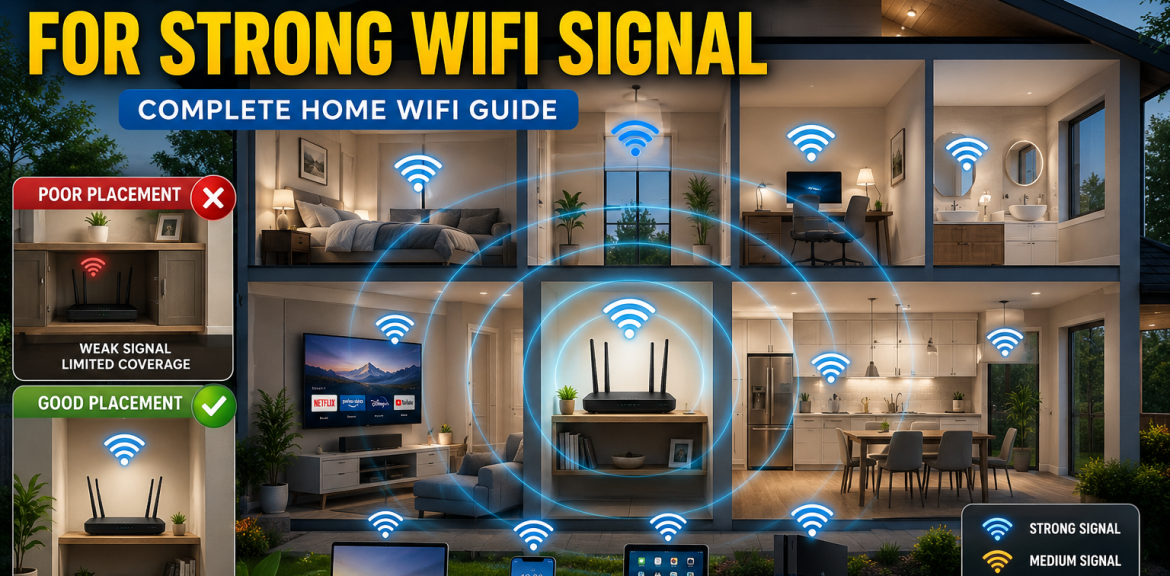

A fast internet connection is useless if your WiFi signal cannot reach every room in your home. Many people spend money upgrading their internet plans without realizing that poor router placement is often the real cause of weak WiFi coverage, buffering videos, dropped video calls, and slow download speeds.
In this guide, you’ll learn the best router placement strategies to improve WiFi coverage, increase internet speed, and eliminate dead zones throughout your home.
Why Router Placement Matters
Your WiFi router sends wireless signals throughout your home. Walls, furniture, appliances, and even mirrors can weaken or block those signals.
Poor router placement can cause:
- Slow internet speeds
- Weak WiFi signal
- Video buffering
- Dropped Zoom or Teams calls
- Online gaming lag
- WiFi dead zones
Fortunately, most of these issues can be improved simply by relocating your router.
Signs Your Router Is in the Wrong Location
Your router may be poorly positioned if you experience:
- Strong WiFi in one room but weak signal elsewhere
- Internet disconnects when moving around the house
- Slow speeds despite having a fast internet plan
- Streaming interruptions
- Poor video call quality
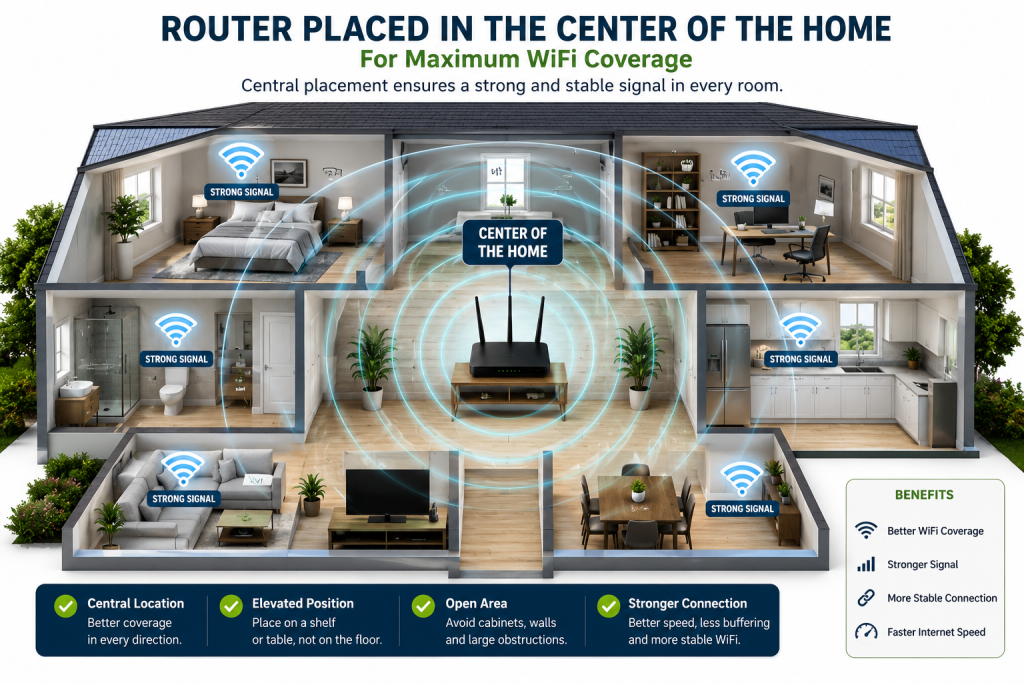
Best Place to Put Your WiFi Router
Place the Router Near the Center of Your Home
WiFi signals spread outward in all directions.
Positioning the router near the center of your house allows the signal to reach all rooms more evenly.
A centrally located router typically provides better coverage than one installed in a corner room.
Elevate Your Router
WiFi signals travel downward and outward.
Place your router:
- On a shelf
- On a desk
- Mounted on a wall
Avoid placing it directly on the floor.
Higher placement usually results in stronger signal coverage.
Keep the Router in an Open Area
Routers perform best when they are not surrounded by obstacles.
Avoid placing the router:
- Inside cabinets
- Behind furniture
- Inside TV stands
- In storage rooms
Open spaces allow wireless signals to travel freely.
Position Router Antennas Correctly
If your router has adjustable antennas:
- Keep one antenna vertical
- Position another antenna horizontally
This helps improve signal coverage for devices located at different heights.
Places You Should Never Put a Router
Behind Large Furniture
Large furniture blocks WiFi signals.
Avoid placing routers behind:
- Sofas
- Bookcases
- Wardrobes
- Entertainment units
Near Microwaves
Microwave ovens operate on frequencies similar to some WiFi networks.
When in use, microwaves can interfere with wireless signals and reduce performance.
Near Metal Objects
Metal reflects and blocks radio signals.
Avoid placing routers near:
- Metal shelves
- Filing cabinets
- Refrigerators
- Metal walls
Close to Mirrors
Many people don’t realize mirrors can weaken WiFi performance because they often contain metallic materials.
Large mirrors can disrupt wireless coverage.
Near Cordless Phones
Older cordless phones may interfere with WiFi networks.
Keep your router away from cordless phone base stations.
Best Router Placement for Multi-Story Homes
For two-story homes:
- Place the router on the upper floor if most internet usage occurs upstairs.
- Otherwise, position it near the ceiling on the ground floor.
- Use a central staircase area whenever possible.
This allows signals to travel between floors more effectively.
Best Router Placement for Apartments
Apartments often experience WiFi interference from neighboring networks.
To improve performance:
- Use the 5GHz band whenever possible.
- Keep the router away from shared walls.
- Place it centrally within your apartment.
Best Router Placement for Gaming
Gamers need low latency and stable connections.
For gaming:
- Place the router close to the gaming setup.
- Use Ethernet whenever possible.
- Minimize walls between the router and gaming device.
This can significantly reduce lag and connection drops.
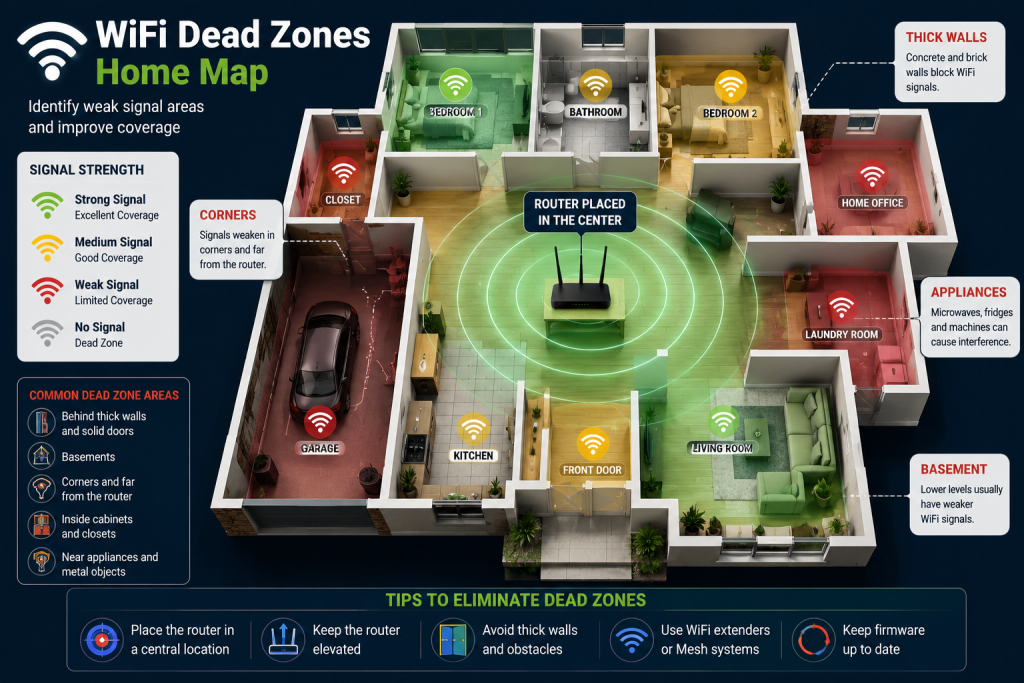
How to Identify WiFi Dead Zones
Dead zones are areas where WiFi signals are weak or unavailable.
To identify them:
- Walk through your home with a smartphone.
- Monitor signal strength in each room.
- Note areas where signal bars drop significantly.
These locations may require router relocation or additional equipment.
Should You Upgrade to a Mesh WiFi System?
Large homes often struggle with WiFi coverage even when the router is correctly positioned.
A mesh WiFi system may help if:
- Your home exceeds 2,500 square feet.
- You have multiple floors.
- Several rooms experience weak coverage.
Mesh systems create a seamless WiFi network throughout the home.
Should You Use WiFi Extenders?
WiFi extenders can help improve coverage in isolated areas.
They work best when:
- Positioned halfway between the router and weak signal area.
- Used in homes with one or two dead zones.
However, mesh systems generally provide better overall performance.
How Often Should You Restart Your Router?
Restarting your router every few weeks can:
- Clear temporary issues
- Improve stability
- Refresh network connections
A simple restart often resolves unexpected performance problems.
Additional Tips to Improve WiFi Signal
Besides router placement, you can also:
- Upgrade to a WiFi 6 router
- Update router firmware
- Reduce connected devices
- Change WiFi channels
- Use Ethernet for high-bandwidth devices
- Upgrade your internet package if necessary
Final Thoughts
Proper router placement is one of the easiest and most cost-effective ways to improve your WiFi signal and internet speed. Before spending money on faster internet plans or expensive equipment, try relocating your router to a central, elevated, and open location.
Small changes in placement can often produce dramatic improvements in WiFi coverage, streaming quality, gaming performance, and overall internet reliability.
By following the recommendations in this guide, you can enjoy stronger WiFi signals throughout your home and eliminate many common internet connectivity problems.
Frequently Asked Questions About Router Placement
The best location is near the center of your home, elevated from the floor, and positioned in an open area away from walls and obstacles.
Yes. Poor router placement can weaken WiFi signals, resulting in slower speeds, buffering, and connection drops.
No. Routers should be placed on a shelf, desk, or mounted higher for better signal coverage.
Yes. Concrete, brick, metal, and thick walls can significantly reduce WiFi signal strength.
For multi-story homes, place the router near the center of the house or on the floor where internet usage is highest.
Large mirrors can interfere with WiFi because they often contain metallic materials that reflect wireless signals.
For larger homes, mesh WiFi systems usually provide better coverage and performance than traditional WiFi extenders.
You can reposition the router, install a WiFi extender, use a mesh WiFi system, or connect devices using Ethernet cables.
Most streaming services recommend at least 25 Mbps for smooth 4K video playback.


