






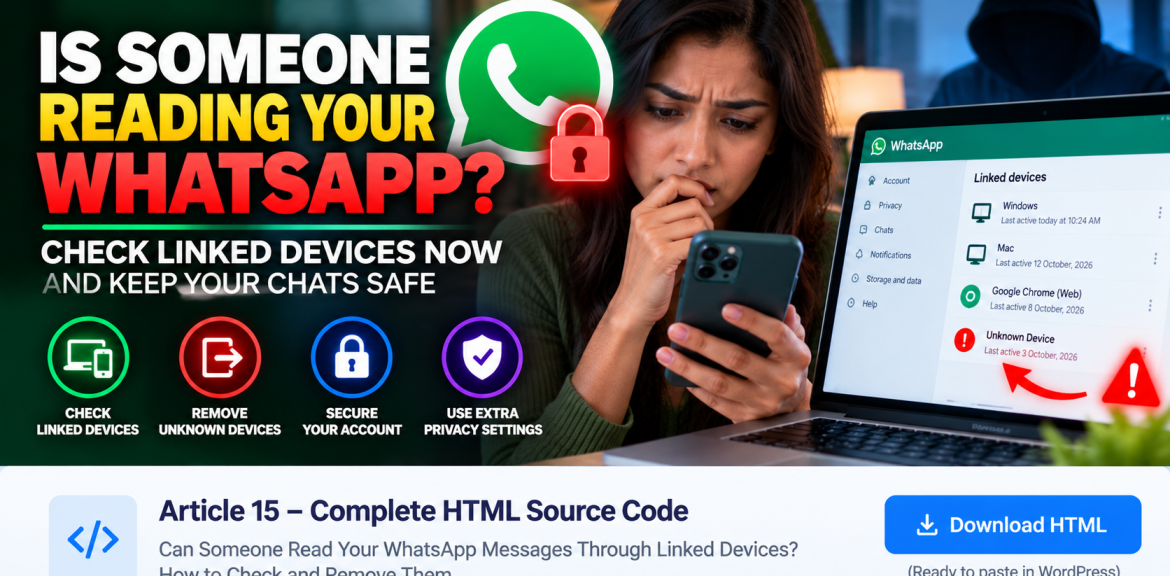

Quick answer: Yes. If someone has successfully linked another device to your WhatsApp account, that device may be able to read messages available to its session and send messages as you. To check, open WhatsApp on your main phone, go to Linked devices, review every listed session, and log out of anything you do not recognize. An unfamiliar device is a reason to act promptly, but a familiar device name alone does not prove who used it.
If you have been logged out of WhatsApp or see a notice that your number was registered on a new phone, skip to the account recovery section: that is different from an ordinary linked-device session.
How to check who is linked to your WhatsApp in two minutes
- Open WhatsApp on your primary phone. Do this in the official app, not through a link in a text message.
- On Android: open the three-dot menu and choose Linked devices. On iPhone: open Settings → Linked Devices. The exact wording or placement can change with app updates.
- Review the list. Look at device or browser descriptions and any activity information shown. Compare them with your own laptop, desktop browser, tablet and companion phone.
- Tap a session you cannot identify, then choose Log out. Repeat for any other suspicious sessions.
- Review account security. Turn on two-step verification, keep WhatsApp and your phone updated, and protect access to your unlocked phone.
Important: WhatsApp says it cannot provide the identity, time or location of someone who accessed your account. Treat the Linked Devices screen as a session-management tool, not a forensic investigation report.
What does an unfamiliar linked device actually mean?
WhatsApp supports linked sessions on supported computers, browsers, tablets and companion devices. A linked session can operate independently of your phone being continuously online. Someone who successfully links a device may be able to interact with your WhatsApp account from that device, subject to the platform’s synchronization and feature limits.
That does not mean every unexpected device label is proof of hacking. A browser session from your office computer, an old laptop, or a device you once authorized can be easy to forget. If you cannot account for a session, logging it out is the safer choice.
What if no unfamiliar devices appear?
A clean list is reassuring, but it cannot prove that nobody has ever viewed your messages. For example, someone with access to an unlocked phone may have read chats directly, and a previously disconnected session may no longer appear. Do not assume that a phone call, a missed call or merely knowing your number lets someone read your WhatsApp chats.
Which situation are you dealing with?
| What you notice | What it may mean | First action |
|---|---|---|
| An unknown computer or browser in Linked Devices | An active session you cannot explain | Log it out and secure the primary phone |
| A message asking you to scan a QR code or enter a linking code | A possible attempt to trick you into authorizing access | Do not approve it; verify the request independently |
| A six-digit WhatsApp registration code you did not request | Someone may be trying to register your number | Never share the code; review security |
| “Your phone number was registered with WhatsApp on a new device†| Possible primary-account registration on another phone | Use WhatsApp’s official Log back in recovery flow |
| Friends receive messages you did not send | Possible account misuse or another security problem | Check linked devices, secure the account, and warn contacts |
How can someone link another device without you realizing?
Device linking normally requires an authorization step, such as scanning a WhatsApp QR code or following the supported phone-number linking process. The risk is often social engineering: a person may persuade you to approve a link by claiming it is needed for a delivery, security check, prize or technical support. Someone with access to your unlocked phone may also be able to authorize a device.
Practical rule: Never scan a WhatsApp linking QR code or enter a linking code because a stranger, caller or unsolicited message tells you to. Use only the official WhatsApp device-linking process for a device you personally intend to connect.
What to do immediately if you find a suspicious device
1. Log out the unfamiliar session
From Linked devices, select the unfamiliar entry and tap Log out. If you are unsure which sessions are yours, consider signing out of all linked sessions and reconnecting only the devices you personally control.
2. Secure the phone itself
Change a compromised phone unlock PIN or password, review who can unlock your device, and install available operating-system and WhatsApp security updates. If someone can routinely access your unlocked phone, logging out a linked session alone may not solve the underlying problem.
3. Enable WhatsApp two-step verification
In WhatsApp, open Settings → Account → Two-step verification and follow the instructions. Add a recovery email you control when the app offers that option. Two-step verification helps protect account registration; it is not a substitute for keeping your phone and linking approvals secure.
4. Check for signs of misuse
Review recent messages and ask trusted contacts whether they received unusual requests from you. If fraudulent messages were sent, warn contacts not to send money or share codes. Avoid claiming you know exactly what a linked session accessed: WhatsApp’s device list does not provide a full history of messages read.
5. Do not pay an “account recovery expertâ€
Anyone promising to reveal the identity of a linked-device user or secretly recover WhatsApp access for a fee should be treated with caution. Use WhatsApp’s own account and security tools.
What if WhatsApp says your number was registered on another phone?
This is a different problem from an unfamiliar WhatsApp Web session. According to WhatsApp’s official recovery guidance, if your account is compromised and your phone is safe, you can use the Log back in process, enter your international phone number, and verify with the six-digit code sent by SMS or call. WhatsApp states that re-registering with that code logs out other devices.
If a two-step verification PIN appears that you do not know, WhatsApp explains that in some cases you may need to wait seven days to access the account without that PIN. Follow the current instructions shown in the official app and Help Center; do not share the registration code with anyone.
Does logging out stop someone from reading messages they already saw?
Logging out ends that linked session’s future access. It cannot undo information someone may already have read, copied, photographed or forwarded. That is why it is important to act promptly, review sensitive conversations and take extra precautions if you shared financial information, passwords or verification codes.
Can a stranger read WhatsApp just by calling you?
A normal phone call does not, by itself, authorize a WhatsApp linked device. Claims that any missed call automatically gives a stranger access to all WhatsApp messages are misleading. The practical threats covered here are unauthorized device linking, account registration takeover, and direct access to an unlocked phone. Keep your apps updated to reduce exposure to software vulnerabilities as well.
A five-minute WhatsApp privacy routine
- Check Linked devices after using WhatsApp on shared or public computers.
- Log out sessions you no longer use.
- Never share six-digit registration codes or two-step verification PINs.
- Do not approve device-linking requests you did not initiate.
- Enable two-step verification and a strong phone screen lock.
- Update WhatsApp and your operating system regularly.
Frequently asked questions
How do I know if my WhatsApp is linked to another phone?
Open WhatsApp on your primary phone and review Linked devices. The list shows currently linked sessions. A session you do not recognize should be logged out.
Can someone read my WhatsApp messages from a linked laptop?
A properly linked computer may access messages available to that session and send messages through your account. If it is not your device, log it out immediately.
Will WhatsApp notify me if someone links a device?
WhatsApp may show security or linking notifications, but do not rely on receiving or noticing a notification. Check the Linked Devices list directly.
Can I see the location or identity of a person using my WhatsApp Web?
No reliable identity or location investigation is available through the Linked Devices screen. WhatsApp says it cannot provide the identity, time or location of someone who accessed your account.
Does two-step verification stop every linked-device attack?
No. It adds protection to account registration, but you should also prevent unauthorized device linking and protect your unlocked phone.
What should I do if I receive a WhatsApp code I didn’t request?
Do not share the code, do not follow instructions from an unexpected caller, and review your account security. If you lose access, use WhatsApp’s official account-recovery process.
Final takeaway
If you suspect someone is reading your WhatsApp messages, start with Linked devices. Remove unknown sessions, protect your phone, and enable two-step verification. If your number has been registered on a new phone, use the separate official account-recovery flow. The goal is to regain control quickly—not to rely on alarming claims or unverified recovery services.
Related reading from The Digital Edge
- WhatsApp Account Banned or Restricted? How to Appeal
- WhatsApp Usernames in 2026: Privacy and Safety
- Can Someone Hack Your Phone by Calling?
- How to Recognize AI Voice-Cloning Scams
Official sources and editorial notes
- WhatsApp: Check linked devices and unlink unfamiliar sessions
- WhatsApp: About linked devices
- WhatsApp: Recover a compromised account
- WhatsApp: Number registered on a new device
Editorial note: Menu labels may vary by operating system and WhatsApp version. This article is general safety guidance, not a forensic determination of account access. Last reviewed: 25 October 2026.


