






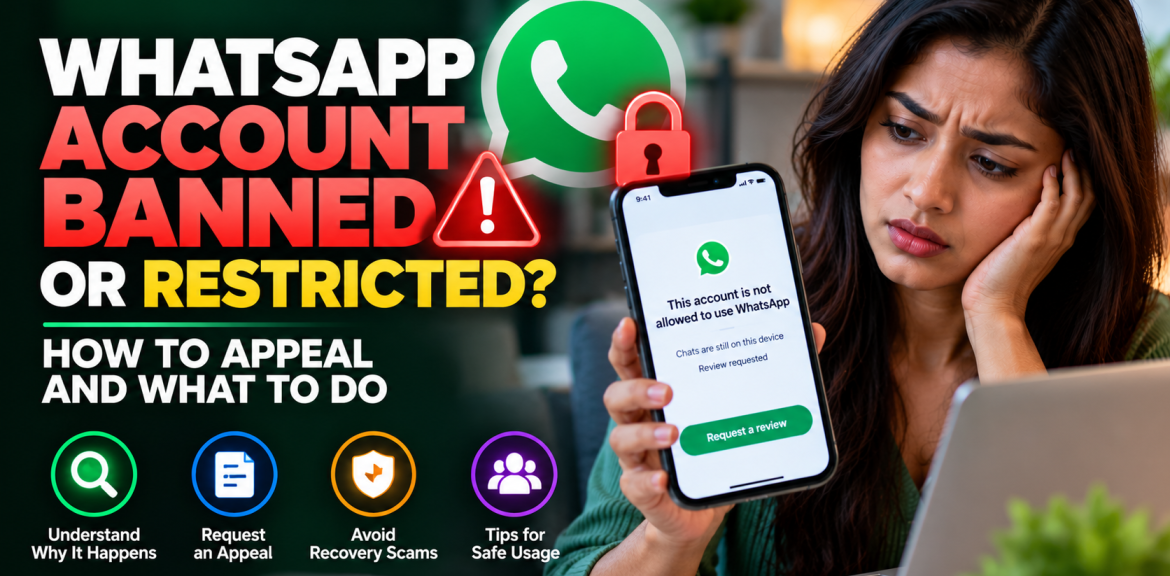

Quick answer: If WhatsApp says your phone number cannot use the service, open the official app and select Request review if that option appears. A temporary restriction is different: it generally expires after the time shown. If you see Temporarily banned, check whether you are using an unofficial app or tools that collect other users’ information. There is no legitimate paid service that can guarantee an account will be unbanned.
Losing access to WhatsApp can disrupt family conversations, customer enquiries and important work. The first step is not to reinstall the app repeatedly or pay someone promising instant recovery. It is to identify which message WhatsApp is actually showing. Each message calls for a different response.
WhatsApp banned, restricted or temporarily banned: what is the difference?
| Message or situation | What it generally means | Best next step |
|---|---|---|
| “This phone number can’t use WhatsApp†| Account ban | Tap Request review if offered. |
| “Your account is restricted right now†| Temporary limits on certain actions | Follow the notice and wait for the restriction to expire. |
| “Temporarily banned†| May involve unofficial apps or scraping | Switch to the official app and stop prohibited activity. |
| WhatsApp Web alone is not working | Not necessarily an account ban | Check the phone app and linked-device connection first. |
These are not interchangeable problems. A restriction can still permit conversations with people you previously contacted, while a banned account cannot access its normal chat history until the ban is lifted. Always use the wording on your own screen rather than assuming every failure means your account has been banned.
How to request a WhatsApp account ban review
- Open the official WhatsApp or WhatsApp Business app. Read the full message displayed for your number.
- Tap “Request review†if it appears on the ban screen.
- Follow the in-app instructions. If you are asked to explain, keep the message short, factual and relevant to your number.
- Check WhatsApp for the decision. WhatsApp says most reviews are completed within 24 hours, but that is not a guaranteed deadline.
- If access is restored, review your account security and messaging practices before resuming normal activity.
Important: WhatsApp says it reviews one phone number per appeal. Contacting it outside the review process or through another person’s account does not speed up the decision. If no review option appears, WhatsApp says the ban is final and cannot be appealed through that process.
A truthful review message you can adapt
Hello WhatsApp Support. My phone number has been banned, and I would appreciate a review. I use this account for [personal communication/customer enquiries]. I understand WhatsApp’s rules and would like to know whether this action was taken in error. If any activity on my account caused concern, I am willing to address it. Thank you for reviewing my account.
Do not claim you never sent bulk messages if that is not true. If you suspect unauthorized account activity, explain that honestly. No wording guarantees approval.
Why does WhatsApp ban accounts?
WhatsApp says it may ban accounts that violate its Terms of Service, including activity involving spam, scams or risks to user safety. Possible issues to investigate include:
- Unsolicited bulk messages: Sending repeated promotions to people who did not request them.
- Automation or abusive messaging patterns: Tools or behavior that violate WhatsApp’s messaging rules.
- Unofficial modified apps: Third-party versions that WhatsApp does not support.
- Scraping: Collecting phone numbers, profile pictures or other user information through prohibited automated methods.
- Compromised accounts: If someone else gained access, their activity may have created problems; this is a possibility to investigate, not proof of the ban’s cause.
WhatsApp generally does not provide users with a complete public breakdown of the detection signals behind an individual enforcement decision. A ban message alone does not establish which particular action caused it.
What if WhatsApp says “Your account is restricted right now�
This is different from a full ban. WhatsApp says restrictions linked to suspected spam, automation or bulk messaging end automatically when the allocated time passes. During the restriction, you may still communicate with existing contacts but may be unable to start new chats, create groups, add members or use linked devices.
To check the remaining time, WhatsApp advises opening a new chat with a contact you have never chatted with before; the pop-up can show the remaining restriction period. Avoid repeating the activity that may have led to the warning.
What if WhatsApp says “Temporarily banned�
WhatsApp associates this message with unofficial versions of the app or scraping. If you use a modified WhatsApp client, move to the official application. Stop any prohibited collection of user information. WhatsApp warns that continuing such activity may result in a permanent ban.
Before changing apps, follow official instructions for preserving chats where applicable. Do not assume an unofficial app will safely transfer all your data.
Can a banned WhatsApp account recover its chats?
WhatsApp says chat history and backups cannot be accessed while an account is banned. A backup tied to the number can only be accessed after that number is unbanned. Therefore, avoid instructions from strangers who promise to retrieve your messages by asking for a verification code, backup password or remote access to your device.
What should a small business do when its WhatsApp number is banned?
For businesses that rely on WhatsApp enquiries, account disruption can immediately affect sales and customer service. While waiting for an official review:
- Use your website, email or existing social channels to publish a temporary alternative contact method.
- Review whether recent messages were requested by recipients and whether your tools comply with WhatsApp’s rules.
- Pause questionable automation or mass messaging while you investigate.
- Keep records of the in-app notice and review decision without publishing private customer information.
- Once restored, prioritize permission-based conversations and clear ways for customers to stop receiving promotions.
WhatsApp Business app versus WhatsApp Business Platform: The phone app and Meta’s API-based Business Platform have different account-management and enforcement processes. If your company uses an API provider, check the applicable Meta Business support and account-quality notices rather than assuming the phone-app review screen is the right route.
Five mistakes to avoid after a ban
- Paying an “instant unban†agent: WhatsApp says third parties cannot remove bans.
- Sharing six-digit registration codes: These codes can be used in account takeover attempts.
- Repeatedly submitting messages through unofficial channels: WhatsApp says this does not accelerate review.
- Installing modified versions of WhatsApp: These may introduce security risks and further policy problems.
- Assuming a new phone or VPN fixes a number-level ban: The official review process, when offered, is the appropriate path.
How to reduce the risk of future restrictions
Use the official WhatsApp app; message people who reasonably expect to hear from you; avoid prohibited bulk messaging, scraping and unauthorized automation; secure your phone and account; and respect requests to stop receiving messages. If you manage advertising campaigns, remember that a customer clicking a WhatsApp ad is not permission to send unlimited unrelated promotional messages later.
For related safety guidance, read our articles on WhatsApp usernames and privacy and AI voice-cloning scams.
Frequently asked questions
How long does a WhatsApp ban review take?
WhatsApp says most reviews are completed within 24 hours. This is an estimate, not a promise for every case.
Can I appeal if the Request review button is missing?
WhatsApp’s official account-ban guidance says that if the option is not available, the ban is final and cannot be appealed through that process.
Can someone pay WhatsApp to unban my account?
No legitimate third-party service can guarantee this. WhatsApp says only it can ban or unban an account.
Will reinstalling WhatsApp remove the ban?
Reinstallation does not replace WhatsApp’s official account review process. The restriction is not necessarily a fault with the installed app.
Why can I message old contacts but not new people?
You may be experiencing a temporary account restriction rather than a full ban. Check the exact in-app notice and remaining time.
Is a WhatsApp Business account treated differently?
The WhatsApp Business phone app and the API-based WhatsApp Business Platform have different administration and review channels. Check which product your company uses.
The bottom line
Read the message, choose the matching official action and avoid recovery scams. If you are banned and see Request review, use it. If you are restricted, follow the timer and stop problematic activity. If you are temporarily banned while using an unofficial app, move to the official service. No blog, consultant or tool can promise that WhatsApp will reverse a final decision.
Official sources and further reading
- WhatsApp Help Center — About account bans
- WhatsApp Help Center — About restricted accounts
- WhatsApp Help Center — About temporarily banned accounts
- WhatsApp Messaging Guidelines
Editorial note: This independent guide summarizes WhatsApp’s publicly available instructions. App screens and enforcement policies may change. It is not affiliated with or endorsed by WhatsApp or Meta. Last reviewed: October 2026.


