





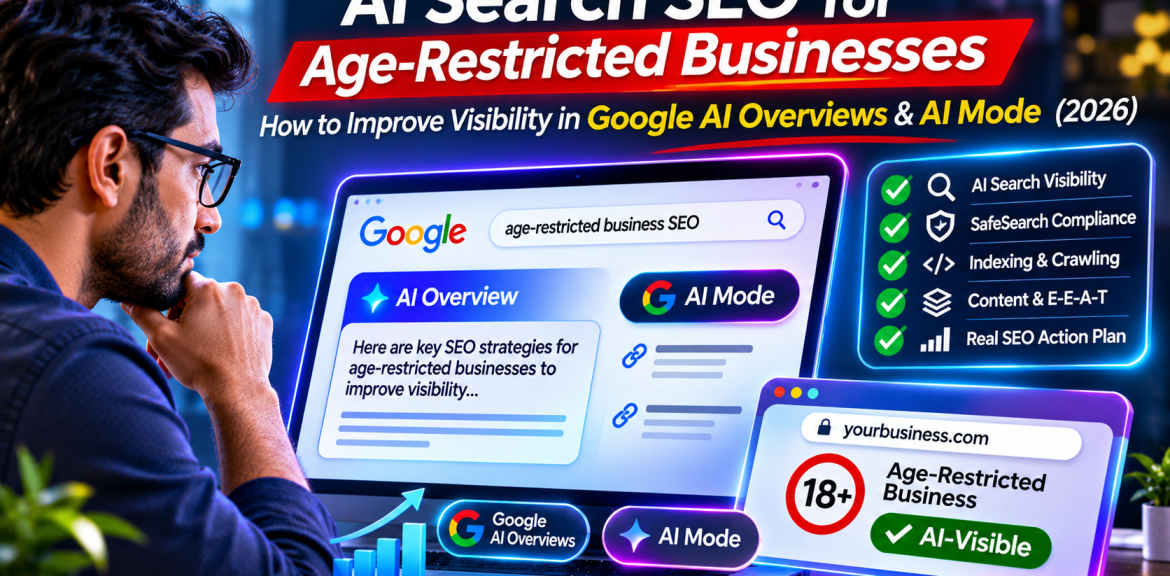

Can age-restricted businesses appear in Google AI Overviews or AI Mode? Potentially, yes—but there is no special application, AI-specific schema, or guaranteed method for inclusion. Google says a page must be indexed and eligible to appear in Google Search with a snippet to be eligible as a supporting link in its AI search features. Adult-content classification, SafeSearch filtering, age-gate accessibility, page quality and the nature of the user’s query can all affect discoverability. The first task is therefore to make your useful, permitted content crawlable, accurate and genuinely worth citing—not to chase an imaginary “AI ranking hack.â€
This guide is for legitimate dating platforms, age-restricted e-commerce retailers, compliance-focused publishers and the agencies that support them. It is about technical SEO and responsible business visibility, not explicit content or methods for circumventing safety filters.
How AI Overviews and AI Mode find supporting websites
Google’s AI features use its underlying Search systems and may conduct multiple related searches to assemble an answer. Google calls this query fan-out. A detailed question about a dating platform, for example, may involve separate searches for privacy, safety, subscription terms and technical documentation. This is a reason to create clear, useful pages for distinct real-world questions—not to mass-produce near-identical keyword pages.
According to Google’s AI features guidance, there are no additional technical requirements and no special schema needed solely for AI Overviews or AI Mode. A page must be indexed and eligible to appear in Google Search with a snippet. That is an eligibility condition, not an inclusion guarantee.
What makes SEO different for age-restricted businesses?
The standard SEO foundation still applies: crawlable pages, descriptive titles, useful text, internal links, fast mobile experiences and reliable content. The additional challenge is that some pages may be filtered by SafeSearch, require age verification, contain user-generated material or fall under advertising restrictions. These are different systems and must not be treated as one problem.
| System | What it decides | What to check |
|---|---|---|
| Google indexing | Whether a URL is in Google’s index | Search Console URL Inspection, canonical, robots and noindex |
| SafeSearch | Whether explicit results are filtered for certain users | Page classification, mixed-content sections, age-gate access |
| AI Overviews / AI Mode | Whether a useful link appears in a generated answer | Search eligibility, relevance, unique value; no guaranteed placement |
| Google Ads | Whether a business may run paid campaigns | Separate advertiser policies, certification and geography |
| AdSense | Whether ads may serve on publisher content | Publisher Policies and Restrictions; page-level ad demand |
Important: Organic eligibility does not imply Google Ads approval or AdSense eligibility. For the monetization distinction, read our AdSense rules for adult-related websites guide.
Eight practical steps to improve Google and AI-search readiness
1. Make your key informational pages accessible to Googlebot
Inspect representative URLs in Google Search Console. Check that Googlebot can retrieve meaningful HTML, that the page is not blocked by robots.txt or a noindex directive, and that canonical tags point to the intended URL. If an age-verification screen prevents the crawler from accessing the actual content, Google may struggle to understand it.
Google’s guidelines for explicit content recommend allowing verified Googlebot to crawl without triggering an age gate. Implement this carefully and in accordance with applicable law; do not create deceptive content differences between crawlers and ordinary users. Verify genuine Googlebot requests rather than trusting a user-agent string alone.
2. Separate genuinely explicit content from general business guidance
If a site hosts both explicit and non-explicit material, avoid blending them indiscriminately. Google’s guidance recommends placing substantial explicit content on a separate domain or subdomain. Educational help pages, policy documentation, trust-and-safety information and technical resources should remain clearly labeled and contextually appropriate.
Do not mislabel explicit pages as family-friendly or attempt to bypass SafeSearch. If a non-explicit page is incorrectly filtered, investigate the actual cause using our Google SafeSearch SEO troubleshooting guide.
3. Write for a specific business question, not a broad industry label
Compare a generic page called “Dating SEO Services†with a useful article explaining “Why are dating member profiles not indexed—and should they be?†The second can address privacy, thin profile pages, consent, noindex decisions, crawl management and safe public landing pages. It solves a real problem rather than repeating sales copy.
For an age-restricted retailer, explain how a search crawler accesses product information, how product descriptions avoid duplication, and what changes when Merchant Center policies restrict listings. For a dating business, explain moderation, location-page quality, public versus private profiles and trust signals.
4. Add original evidence that competitors cannot simply reproduce
Useful evidence might include an anonymized Search Console before-and-after comparison, a documented technical audit, a screenshot of a crawler accessibility test, a clearly labeled decision tree or an interview with a qualified site operator. Never invent client results, policy approvals, conversion rates or first-hand tests. If you have not performed a test, present the procedure as a recommended test, not as a case study.
Google’s people-first content guidance encourages original analysis, trustworthy sourcing and accurate authorship. Its AI optimization guidance likewise emphasizes valuable, non-commodity content.
5. Structure pages for human comprehension
Start each important section with a direct, qualified answer. Follow it with an explanation, evidence, exceptions and a concrete action. Use descriptive H2 and H3 headings, short tables where they genuinely help, and meaningful link text. Keep the primary information visible in HTML rather than hiding it inside an image, script or inaccessible modal.
Do not add FAQ schema merely because the article has FAQs: structured data must follow Google’s feature-specific policies, and markup does not guarantee a rich result or AI citation. Similarly, there is no official “AI Overview schema†that guarantees placement.
6. Build a small, useful internal-link network
Connect related topics based on the reader’s next question, not a fixed keyword quota. A visitor asking whether a dating platform can rank might need dating website SEO guidance. A retailer may need our age-restricted e-commerce SEO checklist. Someone evaluating paid traffic may need Google Ads eligibility and certification guidance.
These contextual links help readers navigate the topic cluster. They are not a substitute for original content or independent authority.
7. Show who is responsible for the advice
Use a real author or editorial team, a transparent About page, a clear update date and links to primary policy sources. Explain the scope of your expertise. For legal, privacy or age-verification requirements, flag that rules vary by jurisdiction and that specialist advice may be needed. Do not present AI-written assumptions as confirmed Google policy.
8. Optimize for useful visits, not just AI mentions
A short AI answer may satisfy a basic definition without sending a click. Offer additional value that makes a visit worthwhile: a diagnostic workflow, editable checklist, example audit template, decision matrix or verified screenshots. Avoid withholding the basic answer just to force a click.
AI-search questions worth answering
These are editorial question candidates, not measured search volumes. Use them to guide sections only where you can provide a genuinely complete answer.
| Question | Best answer format |
|---|---|
| Can dating websites appear in Google AI Overviews? | Direct answer + eligibility caveats |
| Why is my age-restricted site indexed but missing from Google results? | Indexing vs SafeSearch diagnosis |
| Does an age-verification popup stop Googlebot? | Access test + implementation cautions |
| Is there special schema for AI Mode? | Clear no + standard structured-data guidance |
| Should dating member profiles be indexed? | Privacy-first decision tree |
| Can an adult-oriented e-commerce store rank without Shopping ads? | Organic vs paid visibility comparison |
| How can I measure clicks from AI Overviews? | Search Console limitations + GA4 analysis |
A 30-minute diagnostic workflow
- Minutes 0–5: Choose one representative page and record its intended audience, target question and whether it contains explicit material.
- Minutes 5–10: Use Search Console URL Inspection to check indexing, selected canonical and live crawler access.
- Minutes 10–15: Check robots directives, snippet restrictions, internal links and any age-verification interruption.
- Minutes 15–20: Compare how the page appears under relevant SafeSearch settings; do not assume a difference proves a penalty.
- Minutes 20–25: Review the first paragraph: does it directly answer the question and add original practical detail?
- Minutes 25–30: Record one specific fix, the baseline date and the metrics you will recheck later.
How to measure whether the strategy is working
In Search Console, compare the page’s clicks, impressions, CTR and average position over equivalent periods, then review query and country patterns. Google says traffic from AI Overviews and AI Mode is included in the Web search type in Search Console; it does not provide a universal, separate AI-only performance report. Avoid claiming that a click came from an AI Overview unless you have a reliable way to verify it.
Use GA4 or another analytics platform to review engaged sessions, newsletter signups, qualified enquiries and other outcomes. A rising impression count without relevant visits may mean your content is being shown for poorly matched queries. A small number of qualified enquiries can be more valuable than a large volume of irrelevant visits.
| Observed pattern | Possible explanation | Next action |
|---|---|---|
| Page not indexed | Crawl, canonical, quality or noindex issue | Inspect URL and fix verified cause |
| Indexed, few impressions | Limited relevance, demand or filtering | Review query fit and SafeSearch context |
| Impressions rise, clicks fall | SERP changes, intent mismatch or competition | Compare queries, dates, CTR and page usefulness |
| Clicks rise, no enquiries | Wrong audience or weak conversion path | Improve business relevance and next steps |
What not to do
- Do not publish hundreds of near-duplicate city or keyword pages just to target AI prompts.
- Do not promise guaranteed citations in AI Overviews, ChatGPT or Google AI Mode.
- Do not spoof Googlebot or serve misleading content to evade safety systems.
- Do not invent expert quotes, statistics, client results or Google policy exceptions.
- Do not assume a page eligible for organic Search is eligible for AdSense or Google Ads.
- Do not add irrelevant FAQ markup, hidden keyword blocks or artificial “AI optimization†files.
Frequently asked questions
Can an age-restricted website appear in Google AI Overviews?
It may be eligible if the page is indexed and can appear in Google Search with a snippet. Actual inclusion depends on the query and Google’s systems, and content filtering can affect visibility.
Does Google require special AI SEO markup?
No. Google states there are no extra technical requirements or special structured-data types solely for AI Overviews and AI Mode. Standard SEO and valid, relevant structured data still matter.
Will SafeSearch automatically block an entire dating website?
Not necessarily. Dating is not automatically equivalent to explicit content. Classification depends on the material and signals Google encounters; mixed explicit content and inaccessible age gates can create problems.
Can I remove an age gate to improve SEO?
Do not remove legally required safeguards. Instead, follow applicable rules and Google’s guidance for allowing verified Googlebot to access content appropriately, then test crawler access.
Should private dating profiles be indexed?
Usually privacy, consent and user safety should take priority over traffic. Consider indexable public information pages and keep private or sensitive profiles inaccessible to search engines.
Does being cited in AI Mode guarantee more visitors?
No. Some users may obtain enough information without clicking. Evaluate organic traffic, engagement and qualified conversions instead of counting unverified AI mentions.
Can AI-written articles rank in Google?
AI assistance is not automatically disqualifying. Google emphasizes accurate, useful, original, people-first content and warns against scaled low-value content created primarily to manipulate rankings. Human fact-checking is essential.
Can I use AdSense on educational articles about adult-industry SEO?
Educational context does not automatically determine eligibility. Google’s publisher policies and restrictions apply to the actual page and surrounding content; ad demand may be limited. Review each page and your Policy Center.
Final takeaway: earn discoverability through usefulness
For age-restricted businesses, AI-search visibility begins with ordinary SEO done well: make appropriate pages accessible, explain real problems accurately, separate content classifications responsibly, provide original expertise and measure qualified results. AI Overviews and AI Mode are potential discovery surfaces—not shortcuts around Google’s Search or advertising rules.
For a broader introduction, read our guide to Google rankings for adult-oriented websites. This article concludes our seven-part educational series on compliant SEO and digital marketing for age-restricted businesses.
Official sources and further reading
- Google Search Central: AI features and your website
- Google: Optimizing for generative AI features
- Google: SEO guidelines for explicit content
- Google: Incorrect explicit-content classification troubleshooting
- Google: Creating helpful, reliable, people-first content
- Google: Guidance on generative AI content
Editorial note: This is general SEO and advertising-policy education, not legal advice. Platform rules and jurisdiction-specific requirements can change; verify current requirements before making operational decisions.


