


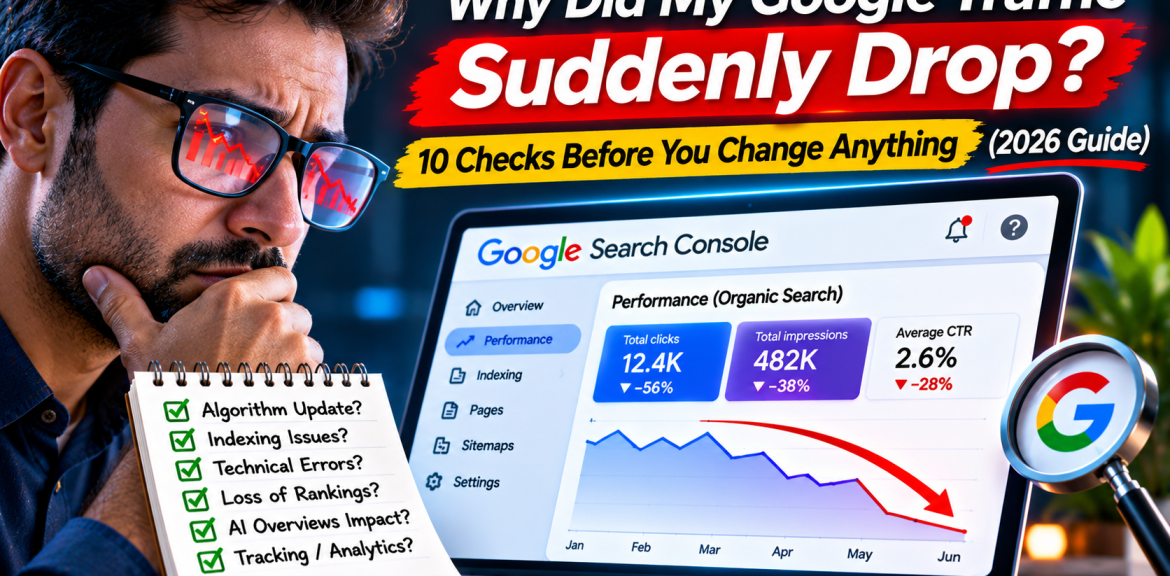

Your Google traffic dropped. What should you do first? Don’t rewrite every page, change your theme, or blame the latest algorithm update. First, find out whether Google stopped showing your pages, searchers stopped clicking them, your analytics stopped counting visits, or fewer people are searching for your topic. Those are four different problems—and they need different fixes.
This guide walks you through ten checks in a sensible order, with a decision table, WordPress-specific tests and a recovery log you can use before making changes. It is written for business owners and website managers who need a diagnosis, not another list of SEO myths.
Quick answer: why does Google organic traffic suddenly drop?
Common explanations include an analytics or consent-tracking change, a server outage, accidental noindex rules, URL migrations, lost rankings, a Google algorithm update, lower search demand, changes to search-result presentation, or security and manual-action issues. A traffic chart by itself cannot identify the cause. Google’s own debugging guidance recommends looking at the pattern of clicks, impressions, positions, pages and queries before deciding what to fix.
Start here: identify the shape of the drop
Open Google Search Console → Performance → Search results. Compare the affected period with a similar earlier period, then examine Clicks, Impressions, CTR and Average position. Keep the search type consistent; do not compare Web traffic with Image or Discover traffic.
| What changed? | Likely investigation | First action |
|---|---|---|
| Analytics sessions fell; Search Console clicks look stable | GA4 tagging, consent, filters, reporting, attribution | Test tracking before editing SEO |
| Clicks and impressions both fell | Search demand, visibility, indexing, rankings | Compare queries, pages and countries |
| Clicks fell; impressions broadly stable | CTR, search appearance, changing query mix | Review affected queries and result snippets |
| Average position worsened for many key queries | Ranking or competition changes | Check update dates and content usefulness |
| Only a few pages lost traffic | Page-specific technical, relevance or competitor changes | Inspect those URLs individually |
| Traffic fell on the same dates last year | Seasonality | Compare year over year and Google Trends |
These patterns are clues, not definitive diagnoses. Average position is an aggregate metric and can shift with the query mix.
The 10 checks, in the order I would investigate
1. Confirm the drop is real—not a measurement problem
Compare Google Search Console clicks with GA4 organic-search sessions over matching dates. They measure different things, so totals won’t match exactly. But if GA4 plunges while Search Console remains steady, investigate your measurement setup first: missing Google tag, a consent banner change, a plugin update, altered channel grouping, filters or cross-domain issues. Use a real browser visit and GA4 DebugView or Realtime to check whether an event arrives. Do not change page titles to repair a broken analytics tag.
2. Compare the right dates and search types
In Search Console, compare equal-length periods and the same days of the week. Then look at the last 16 months to spot seasonal patterns. Split Web, Image and Video performance where relevant. A sharp weekend decline can look alarming on a small B2B site even when demand normally rebounds on Monday.
3. Find out whether the problem is site-wide or page-specific
Open the Pages tab and sort by click difference. Did the homepage, an entire blog category, or only one high-performing article lose visits? If the drop is concentrated in one URL, investigate that page before touching the rest of the website. If most sections are affected, move technical and site-wide checks higher in the queue.
4. Look for accidental indexing and canonical changes
Inspect a few affected URLs in Search Console. Check whether they’re indexed, which canonical Google selected, and whether a noindex directive or redirect appeared. In WordPress, review Settings → Reading → Discourage search engines from indexing this site, SEO plugin settings, staging-to-live migrations and recent template changes. A page that is Discovered – currently not indexed is not the same as one that was indexed and then dropped. For those cases, see our Discovered – Currently Not Indexed guide.
5. Check server reliability and Googlebot access
Review hosting uptime, 5xx errors, firewall or CDN challenges, robots.txt availability and server logs around the decline. A security plugin can accidentally challenge legitimate crawlers. Check Search Console’s crawl statistics and live URL inspection. A slow website may need optimization, but don’t assume that a traffic drop proves a crawl-budget problem.
6. Review changes you made shortly before the decline
Create a timeline: theme changes, plugin updates, permalink edits, deleted pages, redesigned navigation, redirects, content rewrites, structured-data changes and domain migrations. Match each change to the affected URLs and the first date of decline. Roll back a confirmed mistake carefully; avoid reverting unrelated improvements.
7. Check ranking shifts and official Google update timing
Look at the Queries tab for searches that lost clicks and impressions. Compare position for important queries individually rather than relying on the site’s average. Check the Google Search Status Dashboard for confirmed incidents or updates. A date overlap is a reason to investigate—not proof that an update caused the decline. Google’s guidance advises allowing a completed core update time to settle before drawing conclusions.
8. Check whether search demand or competitors changed
Use Google Trends to compare interest in affected topics and countries. Review search results for a sample of lost queries: new competitors, fresher answers, different intent, local results, video results or product listings may now dominate. If everyone is seeing fewer searches for a topic, rewriting your article may not restore demand.
9. Investigate CTR and AI-search presentation—without guessing
When impressions hold steady but clicks fall, inspect search snippets and the type of results shown. AI Overviews, AI Mode, featured snippets and other SERP elements can change how users interact with results, but a CTR drop alone does not prove that AI took your clicks. Google’s 2026 Search Console generative-AI visibility reporting offers additional impressions data for AI features; use the available report in your property alongside ordinary Web performance and analytics. An AI impression is not the same as a click or a citation. See also our Google AI Overviews traffic guide.
10. Check security issues, manual actions and page usefulness
Review the Security Issues and Manual Actions reports. If those are clear, assess whether the affected content still answers the searcher’s problem better than competing pages. Look for outdated screenshots, broken examples, thin explanations, intrusive ads, unsupported claims and missing first-hand detail. A broad traffic drop is not an instruction to mass-rewrite everything with AI.
A 20-minute traffic-loss triage: practical workflow
- Minutes 0–4: Compare GA4 sessions and Search Console clicks; note whether the two trends agree.
- Minutes 4–8: Compare the affected period with a similar previous period and the same season last year.
- Minutes 8–12: Export the Pages and Queries comparisons; identify the five largest losses.
- Minutes 12–16: Inspect two affected URLs; check indexing, canonicals, robots and server response.
- Minutes 16–20: Check update timing, recent site changes, Security Issues and Manual Actions; assign an evidence-based next step.
At the end, write a one-sentence working diagnosis, such as: “Search Console impressions are steady, but CTR declined for three informational queries; we need to review their current search results before editing.†That’s far more useful than “Google penalized our site.â€
Illustrative example: a 35% traffic decline that wasn’t an SEO collapse
Hypothetical scenario—not a client case study: A business site shows a 35% fall in GA4 organic sessions after a consent-management update. Search Console clicks and impressions are broadly unchanged. A browser test reveals that the analytics tag does not fire until consent is granted, and the reporting comparison mixed different consent states. The correct first task is to validate measurement and consent configuration—not rewrite all landing pages. The lesson: always check what the metric measures before diagnosing a ranking problem.
What to do after you identify the cause
| Evidence | Reasonable next step | What to avoid |
|---|---|---|
| Broken tracking | Repair tags, document the measurement change | SEO rewrites |
| Accidental noindex or bad redirect | Fix affected URLs, verify, monitor recrawl | Requesting indexing before the technical fix |
| Specific content lost relevance | Update with new evidence, examples and clarity | Changing every page at once |
| Seasonal demand drop | Plan seasonal content and monitor year over year | Assuming a penalty |
| Confirmed security issue | Secure the site and follow Google’s remediation process | Ignoring compromised pages |
| Unclear cause | Collect more data, make small reversible tests | Large-scale changes without a baseline |
How to monitor recovery without fooling yourself
Record the date, affected URLs, diagnosis, change made and expected signal. Check the relevant Search Console query/page combinations weekly. Separate implementation success (the page is indexable and working) from search performance success (impressions, clicks or conversions improve). A single good day does not establish recovery, and a few days of lower clicks do not prove a failed fix.
For publishers, add engagement and AdSense metrics to the review, but remember that lower revenue can result from lower pageviews, ad demand, geography, placement or consent—not just SEO.
Frequently asked questions
Why did my website traffic suddenly drop overnight?
First compare Search Console clicks with your analytics sessions. If both declined, check indexing, site availability, query performance and search demand. If only analytics declined, check measurement changes.
Does a Google traffic drop mean my website was penalized?
No. Most drops are not proof of a manual action. Check Search Console’s Manual Actions report, then investigate technical, competitive, seasonal and algorithmic causes.
Can a Google core update reduce my traffic?
Yes, rankings can change during updates. But a matching date is not enough to establish cause; compare affected queries and pages, and use Google’s official update information.
Can AI Overviews cause fewer clicks?
AI search experiences may influence click behavior for some queries, but you cannot attribute a traffic decline to AI from a simple clicks chart. Compare impressions, CTR, query mix and available AI feature reporting.
What if impressions are steady but clicks dropped?
Investigate CTR, changes in search-result appearance, the queries receiving impressions and whether your title and description accurately reflect the page. Do not assume rankings collapsed.
How long does SEO traffic recovery take?
There is no fixed timetable. Tracking fixes can affect reporting quickly; crawling, indexing and ranking reassessment can take longer. Monitor relevant signals rather than promising a deadline.
Should I rewrite all my articles after a traffic drop?
No. Identify which URLs and queries actually lost performance, then improve content where evidence shows a gap. Broad, simultaneous rewrites can make diagnosis harder.
Does changing WordPress plugins affect Google traffic?
It can if the change alters indexing directives, redirects, page content, performance, canonical tags or analytics. Review the specific changes and test affected URLs.
Final takeaway
A traffic drop is a symptom, not a diagnosis. Start with measurement, compare the right periods, isolate the affected URLs and queries, then fix the cause you can actually demonstrate. That disciplined approach protects both your rankings and the useful content you’ve already built.
Sources and further reading
- Google Search Central: Debugging drops in Google Search traffic
- Google Search Central: Core updates guidance
- Google Search Central: AI features and your website
- Google Search Central: Generative AI performance reports (2026)
- Google Search Central: Get started with Search Console
Editorial note: This article provides general diagnostic guidance, not a guarantee of rankings or recovery. Interface labels and reporting features can change.


