


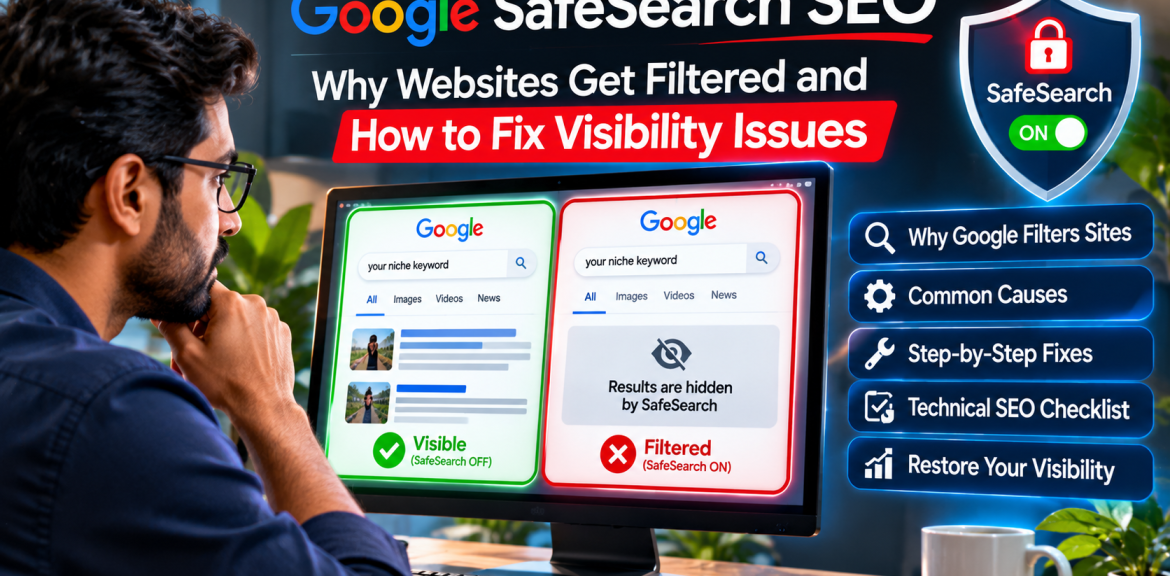

Why is your website missing from Google when SafeSearch is enabled? Google may classify a page—or sometimes a broader section of a website—as explicit based on its text, images, videos, links and other signals. A page can remain indexed yet be filtered from results shown to people using SafeSearch. Other causes, including crawling errors and ordinary ranking competition, can look similar.
This 2026 troubleshooting guide is for SEO professionals, dating-platform operators, age-restricted retailers and website owners who want accurate classification and legitimate Google visibility. It is not a method for bypassing SafeSearch or exposing explicit material to users who have chosen to filter it.
1. What does Google SafeSearch actually do?
SafeSearch is a user-facing filter for explicit search results, not a separate SEO ranking score. Google describes three settings: Filter excludes explicit results; Blur blurs explicit images while some links and text may still appear; and Off allows explicit results where otherwise relevant. Settings can be managed or enforced by parents, schools, organizations or networks.
Google says its detection considers signals including on-page words, media, outgoing links and content in advertisements or pop-ups. It also seeks to recognize educational, documentary, scientific and artistic contexts. That does not mean every educational page is guaranteed to appear with filtering enabled.
2. SafeSearch filtering vs. deindexing vs. weak rankings
| What you observe | Possible explanation | First check |
|---|---|---|
| Page appears with SafeSearch Off but not Filter | Possible SafeSearch classification | Compare identical queries and inspect page content |
| Page is absent under all settings | Indexing, technical, relevance or ranking issue | Search Console URL Inspection |
| Google reports page is indexed, but impressions are low | Demand, ranking, query mismatch or filtering | Search Console Performance and search intent |
| Only some non-explicit pages disappear | Possible broader site classification or other SEO issue | Review section architecture, links and media |
| Live URL test cannot access main content | Age gate, login, JavaScript, robots or server restriction | Rendered HTML, HTTP response and crawl access |
Important: Manual comparisons between SafeSearch settings are clues, not an official SafeSearch classification report. Results can vary by location, personalization, query and timing. Search Console does not provide a dedicated report labeling each URL as SafeSearch-filtered.
3. Seven technical causes worth investigating
Cause 1: Googlebot is blocked by an age-verification screen
Google explicitly advises sites with age gates to let verified Googlebot access the content without triggering the gate. Otherwise, Google may be unable to understand or rank the page, and non-explicit pages behind the same barrier can be mistakenly classified as explicit.
Fix: Check the page with Search Console’s Test Live URL. Review server responses and rendered content. Follow Google’s published instructions for verifying Googlebot rather than trusting a user-agent string alone. Maintain appropriate age restrictions for real users and meet applicable laws; do not make hidden crawler-only claims or misleading content substitutions.
Cause 2: Explicit and non-explicit sections are mixed together
When a site contains substantial explicit and general-audience content, Google recommends grouping explicit pages on a separate domain or subdomain. This can help its systems classify each area accurately. A mixed homepage, shared navigation, explicit thumbnails or cross-linked promotional blocks can make the distinction less clear.
Fix: Map which pages are genuinely explicit and which are educational, corporate, help-center or technical documentation. Assess whether separate site sections or a dedicated domain/subdomain make sense. This is a significant architecture change: plan redirects, canonical URLs, sitemaps and internal links carefully rather than migrating pages impulsively.
Cause 3: Explicit-content metadata is applied incorrectly
Google recognizes <meta name="rating" content="adult"> to identify sexually explicit pages. It is appropriate for pages that are actually explicit—not as a blanket site-wide setting on neutral help pages. Google also documents a video sitemap <video:family_friendly> value of no for explicit video.
Fix: Audit your SEO plugin, theme templates, HTTP headers and video sitemap generation. Remove mistaken explicit labels from pages that do not warrant them; preserve accurate labels on explicit pages. Do not remove correct classifications simply to force filtered visibility.
Cause 4: Unmoderated member profiles, reviews or comments
Dating platforms and marketplaces often have user-generated profile text, photos, reviews and links. A site that allows explicit or abusive uploads without moderation can accumulate signals inconsistent with the intended audience.
Fix: Implement content rules, review queues, reporting, removal workflows and repeat-offender controls. Prevent illegal, exploitative and non-consensual content. Do not expose private member profiles to search engines without a clear legal basis and appropriate user consent.
Cause 5: Suggestive media, pop-ups or external links
A neutral product-support page may still include explicit banners, thumbnails, embedded media or links. Google’s SafeSearch guidance considers the broader page context—not just the headline or meta description.
Fix: Review the fully rendered page on desktop and mobile, including third-party widgets, related-content modules, advertisements and user-generated links. Make classification match the real page experience.
Cause 6: Crawl and indexability errors mistaken for filtering
A robots.txt block, noindex directive, broken canonical, redirect loop, HTTP error or login requirement can prevent normal indexing. Google states that indexable pages generally need to be accessible to Googlebot, return a successful response and contain indexable content.
Fix: Inspect affected URLs individually in Search Console. Confirm indexability and compare Google’s selected canonical with your intended canonical. Check your sitemap and server logs where available.
Cause 7: The page simply does not satisfy the search intent
Even if classification is correct and the page is indexed, it may not rank for competitive queries. Thin location pages, duplicated profiles, vague titles and weak product information do not become visible merely because SafeSearch is disabled.
Fix: Improve unique usefulness: transparent business details, helpful product or service explanations, accessible site structure, meaningful internal links, original expertise and clear answers to actual user questions.
4. A practical 20-minute SafeSearch SEO audit
- Choose three URLs: a homepage, a non-explicit information page and an age-restricted page if applicable.
- Inspect each URL in Search Console: record indexing status, canonical, crawl date and live rendered content.
- Test a representative query: compare results under SafeSearch Filter and Off. Treat differences as diagnostic hints only.
- Review page-level signals: visible text, images, videos, external links, advertisements, pop-ups and user-generated content.
- Audit age gates: verify that authenticated Googlebot can retrieve intended crawlable content while users remain appropriately protected.
- Check metadata: review rating tags, video sitemap labels, robots directives and canonical tags.
- Document a hypothesis: separate suspected filtering from confirmed crawl/index errors and ordinary ranking problems.
- Fix one root cause: avoid simultaneous site-wide changes that make results difficult to interpret.
5. How to troubleshoot an incorrectly classified website
Google publishes a dedicated guide for sites that appear to be incorrectly flagged as explicit. Its examples include improper metadata, unmoderated user-generated content, age-gate restrictions and failure to separate explicit from non-explicit sections.
Recommended workflow: first verify that the content really is non-explicit; next correct misleading page signals and technical access; then allow Google to recrawl. Keep dated screenshots and URL Inspection findings so you can assess whether the change helped. There is no guaranteed timeline or guaranteed reversal.
For sites containing genuinely explicit pages, the goal is correct labeling and appropriate discovery, not evading user-selected safety filters.
6. What should dating and age-restricted retailers do differently?
| Business model | Typical risk | Responsible SEO approach |
|---|---|---|
| General dating platform | Member-generated media, privacy exposure, confusing page intent | Moderation, public/private separation, useful informational pages |
| Age-restricted e-commerce store | Age gate blocks crawlers; product imagery affects classification | Verified crawler access, accurate labels, helpful product content |
| Mixed educational and explicit publisher | Non-explicit articles inherit broad explicit classification | Separate explicit areas and keep educational pages clearly contextualized |
| Marketing agency writing policy guides | Suggestive cover images or outbound links create misleading context | Neutral illustrations, official citations, technical explanations |
For further context, see our guides to adult website SEO and Google Search, dating website SEO, age-restricted e-commerce SEO and Google Ads policies for dating businesses. Editorial check: verify these links against published URLs before posting.
7. Does fixing SafeSearch classification help Google AI Overviews?
Fixing crawlability and making your content understandable can help Google access and evaluate a page for ordinary Search. But there is no guaranteed AI Overview inclusion, and SafeSearch settings do not create a special shortcut into AI results. Focus on factual, original explanations, clear page structure, first-hand technical examples where available and credible source links.
For a technical publisher such as The Digital Edge, a useful diagnostic table, a reproducible checklist and accurate interpretation of Google’s documentation are more valuable than repeating a generic definition of SafeSearch across many near-identical pages.
8. Frequently asked questions
Can Google index an adult website even when SafeSearch is enabled?
Yes. Indexing and SafeSearch filtering are different processes. A page can be indexed but filtered from a user’s results when SafeSearch Filter is enabled.
Why is my website visible with SafeSearch Off but not Filter?
It may be classified as explicit, but a single search comparison is not conclusive. Review page signals, search intent and Google’s explicit-content troubleshooting guidance.
Can SafeSearch incorrectly filter a non-explicit website?
Yes. Google documents scenarios involving inaccurate metadata, age-gate restrictions, mixed explicit and non-explicit content and unmoderated user submissions.
Does Google Search Console show a SafeSearch penalty?
There is no dedicated per-URL SafeSearch penalty report. Use URL Inspection to diagnose crawling and indexing, then investigate possible classification separately.
Should I remove the adult rating tag to improve rankings?
Only correct it if it is inaccurate. Keep appropriate explicit-content labels on pages that warrant them; removing accurate labels to evade filtering is not a sound SEO strategy.
How can Google crawl an age-gated website?
Google advises allowing verified Googlebot to access crawlable content without the age gate. Follow Google’s verification guidance and applicable age-verification laws; avoid deceptive substitutions.
Does SafeSearch affect dating websites and adult online stores?
It can, depending on the actual page content and context. Mainstream dating and age-restricted retail are not automatically identical to explicit-content sites.
Will a SafeSearch fix guarantee better rankings or AI citations?
No. Accurate classification and accessibility remove possible obstacles; ranking and AI citations still depend on relevance, quality and other systems.
Official Google documentation and further reading
- Google Search Central: Guidelines for sites with explicit content
- Google Search Central: Troubleshooting incorrect explicit classification
- Google Search Central: Technical requirements
- Google Search Central: Googlebot and verification
- Google Search Help: SafeSearch settings
Bottom line: If your site disappears with SafeSearch enabled, do not immediately assume a Google penalty. Confirm whether the page is indexed, inspect the content Google can actually fetch, check classification signals and fix genuine errors. Respect explicit-content labeling and users’ filtering preferences.
Editorial note: This article provides general technical guidance, not legal advice or a promise of ranking, AI citation or advertising eligibility. Policies can change; consult the linked official sources before making major changes.


