






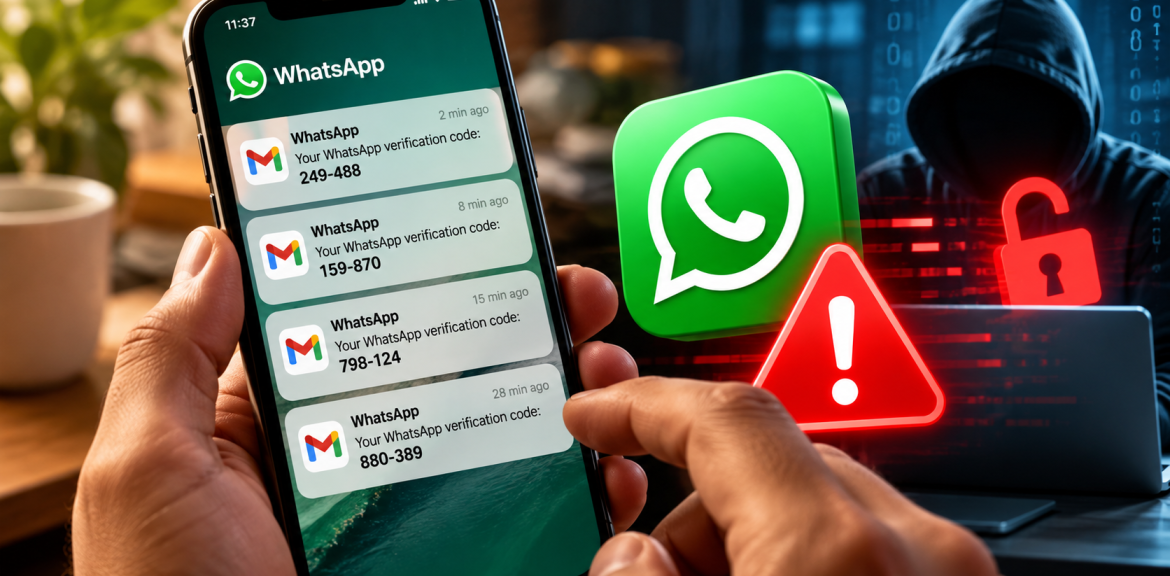

Quick answer: If you’re receiving WhatsApp verification codes you didn’t request, someone may be trying to register your phone number on WhatsApp. It could be an innocent mistake or an attempted account takeover. Receiving an unexpected code does not automatically mean your WhatsApp has been hacked. Never share the code, review your linked devices, and strengthen your account security.
I recently experienced something similar with my WhatsApp Business account. Multiple verification messages arrived without my requesting them. Then I received two unexpected international calls from numbers displaying the United Kingdom country code. I did not answer those calls. Instead, I enabled two-step verification to strengthen my account security.
What concerned me was not just the verification messages. It was the possibility that someone might gain access to a communication channel used by my clients and business contacts.
That experience led me to investigate three questions: Why was I receiving these codes? What happens if someone actually takes over a WhatsApp account? And what should someone do to recover it?
This article combines my firsthand observations with official WhatsApp guidance. Where the evidence cannot establish what happened, I will say so.
Why Am I Getting WhatsApp Verification Codes Without Requesting Them?
WhatsApp uses verification codes when a phone number is registered or re-registered. If you receive a code unexpectedly, your phone number may have been entered into a registration process.
There are two common possibilities:
- Someone entered the wrong number. A person registering WhatsApp may have accidentally entered your phone number instead of their own.
- Someone is attempting to register your number. An attacker may initiate the process and then try to obtain the verification code through deception or another method.
In either case, the verification request alone does not establish that the person has gained access.
The distinction matters: A request for a verification code is an event. A successful account takeover is a different event.
WhatsApp’s official Help Center provides guidance on unexpected verification codes and compromised accounts. See the official resources linked at the end of this article.
My Experience: Repeated WhatsApp Verification Messages Followed by Two UK Calls
I work in digital marketing and use WhatsApp as part of my business communication. It helps me stay connected with clients, respond to enquiries, and manage ongoing conversations.
Recently, I started receiving repeated WhatsApp verification messages that I had not requested.
The messages appeared in my Gmail inbox. As the number of messages increased, I became concerned that someone might be attempting to register my WhatsApp Business number.
Then something else happened.
After the repeated verification messages, I received two unexpected international calls. Both displayed phone numbers with the United Kingdom country code, +44.
I wasn’t expecting calls from those numbers, so I chose not to answer them.
At first, it was tempting to connect the two events. However, I could not establish who initiated the verification requests, who made the calls, or whether the calls and messages were connected.
Instead of assuming that my account had already been hacked, I took a preventive step. I enabled two-step verification on my WhatsApp account.
My experience illustrates why suspicious activity should be investigated carefully without jumping to conclusions.
What I actually observed
| Observation | What it tells us |
|---|---|
| Repeated WhatsApp verification messages | Verification requests were initiated using my phone number. |
| Two unexpected international calls displaying UK numbers | The calls occurred, but their purpose and connection to the messages remain unknown. |
| I did not answer the calls | I did not engage with the callers. |
| I enabled two-step verification | I added another account-security measure. |
Evidence note: These are my firsthand observations. They do not establish that my account was successfully compromised or identify the person responsible for the verification attempts.
Does Receiving a WhatsApp Verification Code Mean My Account Has Been Hacked?
No. Not necessarily.
People often use the word “hacked” to describe several different situations, but they do not all mean the same thing.
Situation 1: You receive an unexpected verification code
Someone may have entered your number into the WhatsApp registration process. If your account continues to function normally and there are no other warning signs, this is not proof of successful account takeover.
Situation 2: You discover an unfamiliar linked device
WhatsApp supports additional linked devices. If a device you do not recognise appears in your Linked Devices list, investigate immediately and log out of unfamiliar sessions.
Situation 3: WhatsApp unexpectedly logs you out
If you unexpectedly lose access or see a message that your phone number was registered on another device, treat the situation as potentially serious and follow WhatsApp’s official recovery instructions.
Situation 4: Contacts receive messages you did not send
If friends, colleagues, or customers report suspicious messages appearing to come from your number, investigate possible account misuse immediately. Verify the reports through a trusted channel.
The WhatsApp Account Takeover Warning Ladder
Based on this experience, I developed a simple four-level guide to help readers distinguish suspicious activity from possible account compromise.
This is an independent editorial framework, not an official WhatsApp risk rating.
Level 1: An unexpected verification code
What it may mean: Your phone number was entered into a registration process.
What to do: Never share the code. Confirm that you still control your account and review your security settings.
Level 2: Repeated codes or unexpected contact
What it may mean: Repeated activity warrants closer attention, although it does not prove who initiated the requests.
What to do: Strengthen two-step verification, review linked devices, and protect your email and mobile accounts.
Level 3: Unfamiliar linked devices or unexplained account activity
What it may mean: There may be unauthorised access.
What to do: Remove unfamiliar linked sessions, investigate suspicious changes, and consult official account-security guidance.
Level 4: Loss of account access
What it may mean: Your number may have been registered elsewhere or your account may have been compromised.
What to do: Start WhatsApp’s official recovery process immediately. Warn contacts through another trusted communication channel if impersonation is suspected.
What Should I Do Immediately If I Receive an Unexpected WhatsApp Code?
If you can still access your account, follow these steps before making assumptions about what happened.
- Never share the code. Do not send it to anyone, including someone claiming to represent WhatsApp support.
- Check Linked Devices. Review connected sessions and log out of devices you do not recognise.
- Enable or strengthen two-step verification. Open WhatsApp Settings, select Account, and review the security options available in your version of the app.
- Protect your email account. Use strong authentication and review unfamiliar sign-ins.
- Secure your mobile number. Ask your mobile provider about available SIM-swap or account-change protections.
- Keep evidence safely. Record dates, times, and suspicious activity without publishing active codes or private information.
WhatsApp’s available security options can change over time. Follow the instructions displayed in your current app and consult the official Help Center for updated procedures.
Why Did I Receive International Calls After the WhatsApp Verification Messages?
In my case, two unexpected international calls arrived after the repeated verification messages.
The timing was concerning. However, it would be misleading to state that the calls were definitely part of a WhatsApp hacking attempt.
A number displaying the UK country code does not establish where the caller is physically located. Caller identification can also be spoofed.
It is possible for criminals to use phone calls as part of social-engineering scams, including attempts to obtain verification codes. But without evidence about the callers’ intentions, I cannot say that this was what happened to me.
If an unexpected caller asks you to share a WhatsApp code, password, or recovery information, do not provide it. If they claim to represent a legitimate organisation, contact that organisation using independently verified contact details.
What Happens If Someone Actually Hacks Your WhatsApp Account?
The consequences depend on how the account was compromised and what access the other person obtained.
Someone may impersonate you
An attacker controlling your account could contact friends, family members, colleagues, or customers while appearing to use your phone number.
Your contacts may receive fraudulent requests
Impersonation can be used to request money, sensitive information, or additional verification codes.
You may lose access to your account
If your number is registered elsewhere, you may be unable to use WhatsApp normally until you complete the recovery process.
Your business communication may be interrupted
For businesses that use WhatsApp for enquiries, quotations, and customer support, an account takeover can interrupt essential communication.
Customer trust may be affected
If someone sends fraudulent messages from a business number, customers may have difficulty distinguishing genuine communication from impersonation.
However, successful account takeover does not automatically mean an attacker can read every historical conversation. WhatsApp uses end-to-end encryption, and access to earlier messages depends on the devices, backups, and circumstances involved.
How to Recover a Hacked WhatsApp Account
If you believe someone has taken control of your WhatsApp account, use WhatsApp’s official recovery process. Do not pay third-party services or provide codes to people promising to recover the account.
Scenario 1: You still control your phone number
If you still have access to the mobile number associated with WhatsApp, the official recovery process generally begins with registering that number again.
- Open the official WhatsApp application.
- Follow the login or registration instructions.
- Enter your phone number in the correct international format.
- Complete verification using a supported method offered by WhatsApp.
- Follow any additional account-security or recovery prompts.
WhatsApp explains that successfully re-registering your number with the required verification code can log another person out of the account.
Once access is restored, review Linked Devices, update your security settings, and check for suspicious activity.
Scenario 2: An unknown two-step verification credential blocks access
Sometimes the recovery process may request an additional two-step verification credential that you do not recognise.
Do not guess repeatedly or trust someone who offers to bypass the protection.
Follow the recovery instructions shown in WhatsApp. Depending on the account configuration and available recovery methods, you may need to complete additional verification or wait before regaining access.
The exact procedure can change, so use WhatsApp’s current official instructions rather than assuming an older waiting period or recovery method applies to every account.
Scenario 3: You no longer have access to your SIM or phone number
If you cannot receive verification messages or calls because your phone or SIM is missing, contact your mobile network provider promptly.
Ask about securing your mobile account and restoring access to your number through the provider’s legitimate identity-verification process.
Then follow WhatsApp’s account recovery guidance. Do not assume that access to an email account alone will always be sufficient to recover WhatsApp.
Scenario 4: Someone is sending messages to your contacts
If you suspect impersonation, notify your contacts using another trusted channel, such as a verified business email address or phone call.
Ask them to disregard unexpected requests for money, verification codes, or personal information until you confirm that your account is secure.
Important: If you suspect an active takeover, go directly to the official WhatsApp Help Center and locate its current compromised-account recovery instructions.
Why WhatsApp Business Owners Face Additional Risks
For a personal WhatsApp account, losing access can interrupt communication with friends and family.
For a business, the consequences can extend to customers.
I use WhatsApp for business communication, which means the phone number is part of how people recognise and contact my business.
If someone were to impersonate that account, clients might receive fraudulent requests that appear to come from a familiar contact.
This is why I believe WhatsApp Business account security should be treated as part of a company’s broader digital-security responsibilities.
A practical WhatsApp Business security plan
- Identify who is authorised to manage the business account.
- Enable available account-security protections.
- Review linked devices and access permissions regularly.
- Secure the associated phone number and recovery email.
- Maintain an alternative communication channel for customers.
- Prepare a clear procedure for warning contacts if impersonation occurs.
These measures cannot guarantee that an account will never be compromised, but they can reduce avoidable risks and improve the business’s response to suspicious activity.
Frequently Asked Questions
Why am I getting WhatsApp verification codes when I didn’t request them?
Someone may have entered your number during WhatsApp registration, either accidentally or deliberately. The code alone does not prove that your account has been hacked.
Can someone hack my WhatsApp with only my phone number?
Knowing your phone number can allow someone to initiate registration requests, but it does not automatically grant access to your account. Protect verification codes and enable available additional security features.
What should I do if I keep receiving WhatsApp verification codes?
Never share the codes. Review linked devices, strengthen two-step verification, and secure your email and mobile accounts. If you lose access, follow WhatsApp’s official recovery process.
Can someone hack my WhatsApp by calling me?
Receiving an ordinary call does not itself prove that your account has been compromised. However, scammers may use calls to trick people into revealing verification codes, passwords, or other sensitive information.
What happens if my WhatsApp gets hacked?
You may lose access to your account, and someone may impersonate you or send fraudulent messages to your contacts. The exact consequences depend on how the compromise occurred.
How do I recover my hacked WhatsApp account?
Use WhatsApp’s official account recovery process. If you still control your phone number, re-registration may allow you to regain access. Follow any additional verification requirements shown by WhatsApp.
Can someone read my old WhatsApp messages after taking over my account?
Not automatically. Access to earlier messages depends on the devices, backups, and circumstances involved. WhatsApp’s end-to-end encryption does not eliminate every account-security risk.
Does two-step verification make WhatsApp completely secure?
No. It adds an important layer of protection, but you must also secure your phone, email, verification codes, and linked devices.
Final Thoughts: An Unexpected Verification Code Is a Warning, Not Proof of a Hack
When I received repeated WhatsApp verification messages, followed by two unexpected international calls, I had a genuine reason to be concerned.
But I could not establish who initiated the requests, whether the calls were connected, or whether anyone had successfully accessed my account.
What I could control was my response.
I did not engage with the unexpected callers, and I enabled two-step verification to strengthen my WhatsApp security.
My takeaway is simple: treat unexpected verification messages seriously, but do not confuse an attempted registration with a confirmed account takeover.
If you have already lost access to your account, act quickly using WhatsApp’s official recovery instructions.
Sources and Editorial Method
This article combines the author’s firsthand experience with publicly available WhatsApp account-security guidance. Personal observations are distinguished from confirmed platform information and unresolved questions.
- WhatsApp Help Center — Official Account Security and Recovery Guidance
- WhatsApp — Security Information
- WhatsApp — Privacy and Encryption Information
- Google Search Central — Creating Helpful, Reliable, People-First Content
Editorial disclosure: This article was developed from the author’s firsthand experience, with AI assistance for research organisation and drafting. It is intended for general account-security education and is not affiliated with or endorsed by WhatsApp or Meta.


