






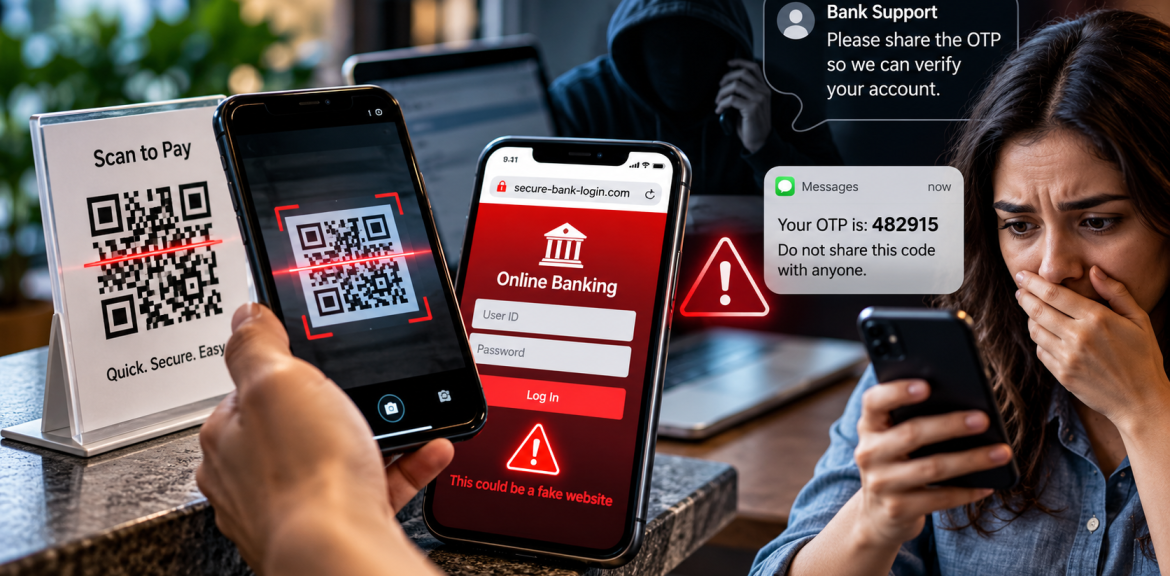

Can scanning a QR code steal money from your bank account? Usually, scanning alone is not enough. The danger often begins when a code sends you to a fraudulent payment page, you enter banking credentials, share a one-time password (OTP), approve a payment you did not intend, or install harmful software. Here is how to tell those situations apart—and what to do next.
Updated: October 11, 2026 · By The Digital Edge, Lanka E-Marketing · Consumer cybersecurity guide
Can a QR Code Really Empty Your Bank Account?
Not by simply displaying or scanning a code in ordinary circumstances. A QR code typically contains information such as a web address or payment details. It does not automatically give a stranger permission to transfer money from your bank account. However, a malicious code can lead to a convincing imitation of a bank website, direct a payment to the wrong recipient, or prompt an unsafe download. A separate vulnerability in an app or device could also change the risk, which is why software updates matter.
Likewise, receiving an unexpected OTP is not proof that your account has been hacked. It may mean someone entered your number, attempted a login, or triggered a verification process. The crucial questions are what action the code authorises and whether anyone else can use it.
How QR-Code and OTP Banking Scams Work
These scams can look different. The following five-stage model is an editorial explanation—not an official bank or law-enforcement classification, and not every incident follows every stage.
1. The trigger: a normal-looking request
You see a QR code on a parking meter, restaurant table, parcel notice or payment sign. Or you receive a message claiming to be from your bank: “Your account will be blocked unless you verify it now.” The request may use urgency, authority or convenience to discourage checking.
2. The redirection: a destination you did not verify
A QR code can conceal a web address until it is scanned. A fraudster may place a sticker over a legitimate payment code, send a fake code in a message, or build a lookalike login page. A padlock icon or HTTPS connection only indicates an encrypted connection; it does not prove that a website belongs to your bank.
3. The information request: credentials or card details
The page may request a username, password, card number or other information. Entering those details can expose them to whoever controls the fake page. If you use the same password elsewhere, additional accounts may also be at risk.
4. The authorisation trick: the OTP or payment approval
Some scammers call while posing as bank staff and ask you to read out a one-time code. Others persuade you to approve a push notification or a payment inside your genuine banking app. An OTP is not always a login code: depending on the service, it may authorise account access, a new device, a password reset or a transaction. Read the accompanying message carefully and never approve an action you did not initiate and understand.
5. The consequence: money or account access at risk
The outcome depends on the payment system and what the victim disclosed or approved. Possible consequences include an unauthorised transaction, a payment sent to a scammer, account takeover or compromised personal information. Not every scan, code or suspicious page results in a loss.
Four Different Situations—And Why the Difference Matters
| What happened? | Likely concern | First response |
|---|---|---|
| You scanned a QR code but did not open a site or enter anything | Usually lower risk; check for unexpected redirects or downloads | Close the page, do not install anything, and keep your device updated |
| You entered a bank username or password on a suspicious page | Credential theft and possible account access | Contact your bank and change credentials using its official app or independently verified website |
| You shared an OTP or approved an unfamiliar prompt | Possible login, reset or transaction authorisation | Call your bank’s fraud team immediately; explain exactly what you shared or approved |
| You see a payment you did not make | Potential financial fraud | Contact the bank immediately, request appropriate restrictions and dispute or report the transaction |
What to Do Right Now if You Think You Were Scammed
If you only scanned the code
Do not panic. Check the destination shown by your camera or scanner. If you did not enter information, approve a payment or install software, the risk is generally different from a completed phishing attempt. Close the suspicious page, review downloads and update your device. If something installed unexpectedly, seek trusted technical help and avoid banking on that device until it is assessed.
If you entered banking details
Open your bank’s app directly or type the bank’s verified address yourself—not through the QR code, suspicious message or search ad. Contact its fraud department and ask whether access needs to be blocked or credentials reset. Change reused passwords on other accounts, starting with your email account if it shares the password.
If you gave away an OTP or approved a payment
Contact the bank immediately. Explain whether the code related to login, device registration, password reset or a transaction, if known. Ask what protective steps and payment-recall or dispute options are available. The availability of refunds and recovery depends on your country, bank, payment type and circumstances; no outcome can be guaranteed.
If money has already left your account
- Call the bank’s official fraud number immediately and ask it to secure affected accounts or cards.
- Report the transaction, ask for a case or reference number, and follow the bank’s dispute instructions.
- Preserve screenshots, transaction IDs, suspicious URLs, QR-code locations, messages and call records. Do not share sensitive codes publicly.
- Secure your email and other linked accounts; review devices, active sessions and recent transactions.
- Report the incident to the relevant police or cybercrime authority in your country.
- Watch for “recovery agents” demanding an upfront fee. A second scam often follows the first.
Important: If you suspect your phone has malware, contact your bank from a separate trusted device or phone where possible.
How to Check a QR Payment Before You Scan
- Inspect the physical code: Be wary of stickers covering an original code or signs of tampering.
- Preview the destination: Check the domain carefully before opening. Look for misspellings, unexpected subdomains and unrelated addresses.
- Use the official app: For banking, shopping and parking payments, use the provider’s official app or a verified payment channel when possible.
- Verify the recipient: Check the business name, account or merchant details and amount before approving payment.
- Question unexpected login requests: A parking or restaurant payment should not casually require your full online banking password on an unfamiliar site.
- Do not install a random app: Treat unexpected app downloads or requests for powerful device permissions as warning signs.
How to Protect Your Bank Account From QR and OTP Scams
Use unique passwords and a password manager; enable the strongest multifactor authentication your bank supports; keep your phone and banking apps updated; enable transaction alerts; and review statements regularly. Never share a verification code with a caller or message sender, even if they know your name or claim to work for your bank. If someone contacts you unexpectedly, hang up and contact the organisation using a number you independently verified.
Remember that a legitimate banking app can still be used to send money to a scammer if you are deceived into approving the payment. Security is not only about keeping attackers out; it is also about checking what you are authorising.
Our Editorial Test: The “Pause, Preview, Verify, Approve” Check
Before paying through an unfamiliar QR code, use this four-question checklist:
- Pause: Is anyone rushing or threatening me?
- Preview: Where does the code actually lead?
- Verify: Does the destination and recipient match the real business or bank?
- Approve: Do I understand the exact payment, login or permission being requested?
This is an editorial checklist created to make established safety advice easier to remember. It is not a substitute for your bank’s security procedures.
Why This Matters Beyond Banking
QR codes are used in restaurants, travel, events, marketing campaigns and customer service. For businesses, a tampered payment code or a compromised customer-facing page can damage trust as well as expose customers to fraud. Digital marketers and website owners should regularly check published QR destinations, secure the linked websites, and provide clear official payment and contact information.
For a related example of account-security warning signs, read our guide to unexpected WhatsApp verification codes. Editorial note: publish or verify that destination before keeping this internal link live.
Frequently Asked Questions
Can scanning a QR code automatically take money from my bank account?
Usually no. Scanning normally reveals or opens information. Fraud typically requires an additional step such as entering credentials, authorising a payment, sharing a code or installing harmful software. Software vulnerabilities are a separate risk, so updates remain important.
What if I scanned a fake QR code but did not enter anything?
Close the page and check for unexpected downloads or prompts. If you did not submit information, approve a payment or install anything, the situation is generally lower risk than sharing credentials. Contact your bank if you notice suspicious activity.
Can someone withdraw money using only my OTP?
It depends on the bank and what the OTP authorises. A code may be one part of a login, account change or transaction approval. Treat any code you did not request as sensitive and contact your bank if you shared it.
Does HTTPS mean a QR-code payment page is safe?
No. HTTPS encrypts the connection but does not establish that the business or banking page is genuine. Verify the domain and payment recipient independently.
What should I do first if I sent money to a scammer?
Contact your bank or payment provider immediately through an official channel. Ask about account protection, transaction reporting, disputes and any available recall process. Then preserve evidence and report the scam to the appropriate authority.
Can my bank refund a QR-code or OTP scam payment?
Possibly, but rules vary by jurisdiction, payment method and whether a transaction was authorised. Report promptly and ask the bank to explain its investigation and dispute process. Avoid anyone promising guaranteed recovery for a fee.
Final Takeaway
A QR code is a shortcut, not automatically a bank-account hack. An OTP is a security tool, not something to share with a caller. The danger is often the convincing sequence that gets a person to visit the wrong site, disclose information or authorise the wrong action. Before you scan, sign in or approve: pause, preview and verify.
Sources and Further Reading
- US Federal Trade Commission — Consumer Advice (search its guidance on QR-code scams, phishing and payment fraud)
- FBI Internet Crime Complaint Center (IC3) — online crime alerts and reporting
- CISA — Secure Our World — phishing, passwords, MFA and software updates
- UK Action Fraud — fraud reporting and prevention information
- Australia Scamwatch — scam reporting and consumer alerts
Editorial transparency: This is an explanatory guide based on established fraud patterns and public safety guidance. The five-stage model and four-question checklist are editorial teaching tools, not the results of a controlled experiment or an account of a personally verified bank-fraud case. No specific scam incidence or financial-loss statistic is asserted here. Banking procedures and consumer protections vary by location. This article is not legal or financial advice.


