






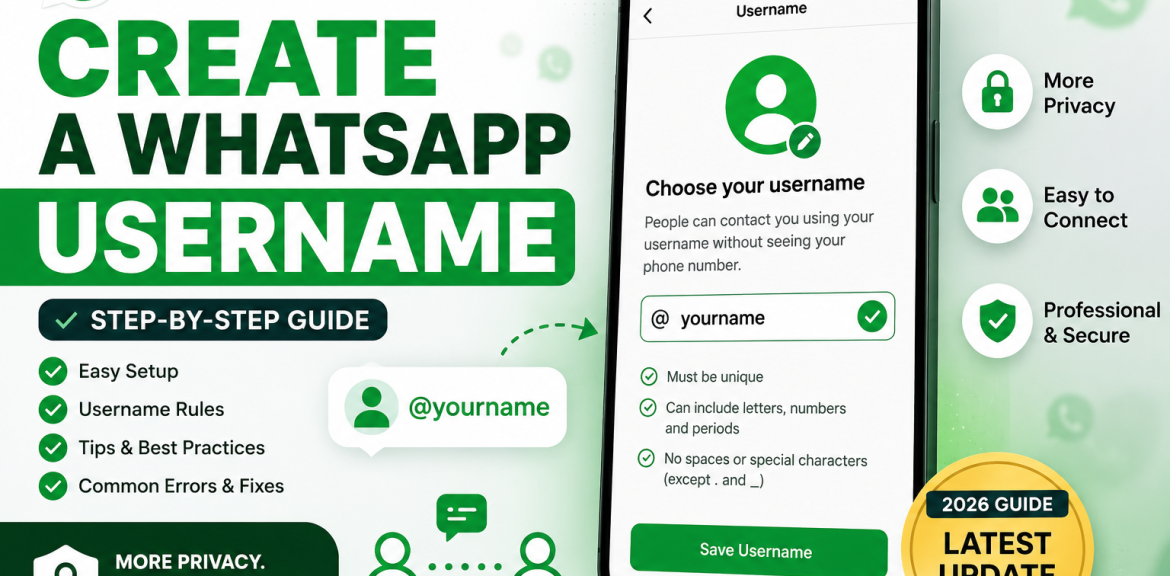

WhatsApp is introducing Usernames, giving users a new way to connect without always sharing their phone numbers. Instead of exchanging mobile numbers, you can share a unique username, making conversations more private and professional.
Whether you’re using WhatsApp to chat with friends, manage a business, or communicate with customers, creating a memorable username can make it easier for people to find and recognize you.
In this guide, you’ll learn how to create a WhatsApp Username, understand the eligibility requirements, avoid common mistakes, and choose a username that represents you or your brand.
What Is a WhatsApp Username?
A WhatsApp Username is a unique identifier linked to your WhatsApp account.
Instead of sharing your phone number, you can share your username, making it easier for people to contact you while offering an additional layer of privacy.
Examples:
- @janaka
- @lemarketing
- @travelwithalex
- @smithdesigns
Each username is unique, meaning no two users can have the same one.
Who Can Create a WhatsApp Username?
The feature is expected to become available to:
- Personal WhatsApp users
- WhatsApp Business users
Availability may vary depending on:
- App version
- Operating system
- Country or region
- Rollout schedule
If you don’t see the feature yet, make sure you’re using the latest version of WhatsApp and watch for future updates.
Before You Create a Username
Before selecting a username, consider these tips:
- Choose something easy to remember.
- Keep it short and professional.
- Use your name or brand name if available.
- Avoid random numbers unless necessary.
- Think long-term—changing usernames frequently may confuse your contacts.
How to Create a WhatsApp Username
Once the feature is available for your account:
Step 1 – Open WhatsApp
Launch the WhatsApp app on your Android or iPhone.
Step 2 – Open Settings
Tap Settings from the app menu.
Step 3 – Open Your Profile
Select your profile at the top of the Settings page.
Step 4 – Find the Username Option
Look for a section labeled Username.
If you don’t see it, the feature may not yet be available for your account.
Step 5 – Enter Your Preferred Username
Type your desired username.
For example:
- @johnsmith
- @janaka
- @travelguru
If the username is already taken, WhatsApp will ask you to choose another available option.
Step 6 – Save Your Username
Once you’ve selected an available username that meets WhatsApp’s requirements, confirm and save it.
Your username is now linked to your WhatsApp account.
WhatsApp Username Rules
Although the exact rules may change as the feature evolves, usernames are generally expected to follow these guidelines:
- Must be unique
- Cannot impersonate another person or business
- Cannot include prohibited or offensive words
- May include letters and numbers
- Certain symbols may be allowed
- Cannot violate WhatsApp’s Terms of Service
- Must meet minimum and maximum character limits defined by WhatsApp
Always follow the rules displayed within the app.
Tips for Choosing the Best WhatsApp Username
A good username should be:
- Short
- Professional
- Easy to pronounce
- Easy to spell
- Memorable
- Relevant to your name or business
Good Examples
- @janaka
- @lemarketing
- @digitalguru
- @travelsri
- @chefalex
Avoid
- Long usernames with many numbers
- Difficult spellings
- Offensive or misleading names
- Names that closely imitate well-known brands
What If Your Username Is Already Taken?
Popular usernames may already be unavailable.
Instead of using random numbers, try:
- Adding your profession
- Including your location
- Adding your business name
- Using initials
Examples:
- @janakasl
- @janakamarketing
- @janakaofficial
- @lemarketinglk
- @chefalexuk
Choose a variation that’s still easy to remember.
Can You Change Your Username?
Yes, WhatsApp is expected to allow users to change their usernames, subject to availability and platform rules.
However, changing your username too often can make it harder for people to recognize or find you.
Businesses, creators, and professionals should aim to keep a consistent username.
Why Your Username Matters
A strong username can:
- Build trust
- Improve brand recognition
- Make it easier for people to find you
- Create a more professional image
- Simplify customer communication
For businesses, a memorable username can become part of your overall branding strategy.
Common Problems When Creating a Username
You may encounter issues such as:
Username Already Taken
Choose another variation.
Feature Not Available
Update WhatsApp and wait for the rollout.
Invalid Username
Ensure it follows WhatsApp’s rules.
Unable to Save
Check your internet connection, update the app, and try again later.
Privacy Benefits
Using a username can provide several advantages:
- Share your username instead of your phone number in many situations
- Easier networking
- Better privacy when communicating with new contacts
- Professional appearance for businesses and creators
Your privacy settings still determine who can view certain account information.
Best Practices
Before sharing your username:
- Enable Two-Step Verification.
- Review your privacy settings.
- Choose a professional username.
- Keep your app updated.
- Avoid impersonating brands or public figures.
Final Thoughts
WhatsApp Usernames are designed to make connecting easier while giving users more control over how they share their identity. Whether you’re chatting with friends, growing a business, or building a personal brand, choosing the right username is an important first step.
If the feature isn’t available for you yet, keep your app updated and watch for future releases. Once available, select a username that is simple, memorable, and aligned with your personal or professional identity.
Frequently Asked Questions
Open WhatsApp > Settings > Profile > Username, then choose an available username and save it. The feature may not yet be available for every account.
Yes. When available, the feature is expected to be included as part of the standard WhatsApp experience.
Yes, if it is available and complies with WhatsApp’s rules.
Yes, subject to WhatsApp’s availability and policies.
You’ll need to choose another unique username or a variation of your preferred name.
Usernames are intended to uniquely identify accounts, but always follow the formatting and behavior shown in the app.
Yes. Business accounts are expected to benefit by making it easier for customers to identify and contact them.
Your phone number remains linked to your account. Depending on WhatsApp’s implementation and your privacy settings, a username may reduce the need to share it directly in many situations.


