






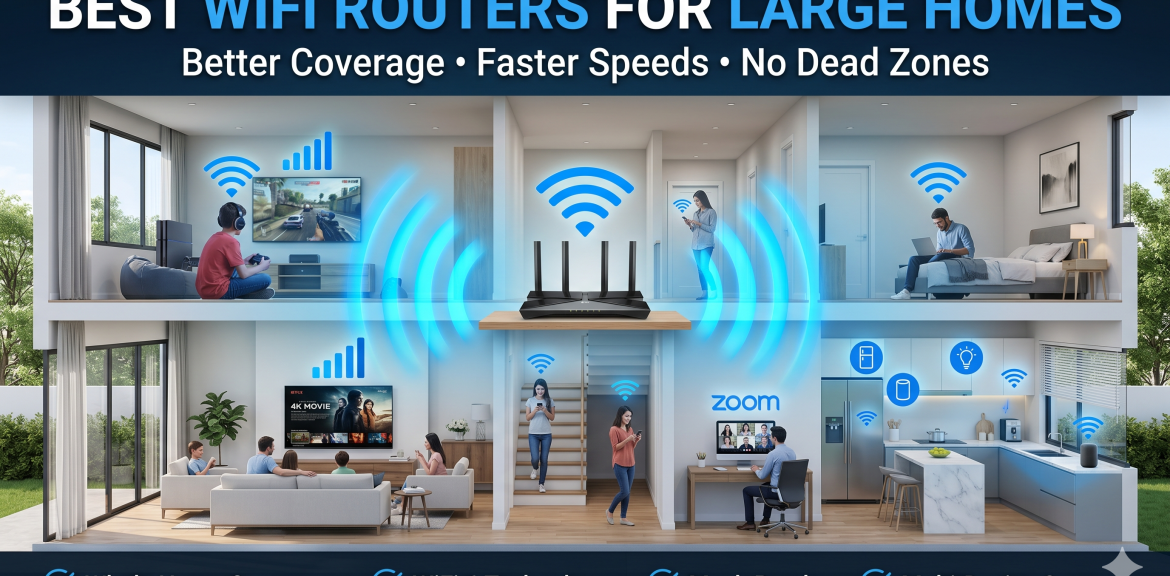

Few things are more frustrating than paying for high-speed internet only to discover that your WiFi signal barely reaches certain rooms in your home.
Large homes often experience weak WiFi coverage, dead zones, buffering videos, dropped video calls, and slow internet speeds. In many cases, the problem isn’t your internet service provider—it’s your router.
Choosing the right WiFi router can dramatically improve coverage, increase internet speeds, and provide a more reliable connection throughout your entire home.
In this guide, you’ll learn how to choose the best WiFi router for a large house, what features matter most, and whether you should consider a mesh WiFi system.
Why Large Homes Have WiFi Problems
WiFi signals weaken as they travel through walls, floors, furniture, and other obstacles.
Large homes often experience:
- Weak WiFi signals in distant rooms
- Slow download speeds
- Buffering video streams
- Dropped Zoom or Teams calls
- Gaming lag
- WiFi dead zones
Even a fast internet connection can feel slow if your router cannot provide adequate coverage.
What Makes a Router Good for Large Homes?
Not all routers are designed to cover large spaces.
When choosing a router for a larger property, look for the following features.
Strong Wireless Coverage
A quality router should provide reliable signal coverage across multiple rooms and floors.
Look for:
- High-gain antennas
- Beamforming technology
- Advanced signal management
These features help direct WiFi signals toward connected devices.
WiFi 6 or WiFi 6E Support
Modern WiFi standards provide:
- Faster speeds
- Better range
- Improved performance with multiple devices
- Reduced congestion
WiFi 6 has become the recommended standard for most households.
WiFi 6E adds access to additional wireless frequencies for even better performance.
Multiple Device Support
Today’s homes contain many connected devices:
- Smartphones
- Smart TVs
- Laptops
- Tablets
- Gaming consoles
- Security cameras
- Smart home devices
A good router should handle dozens of simultaneous connections without slowing down.
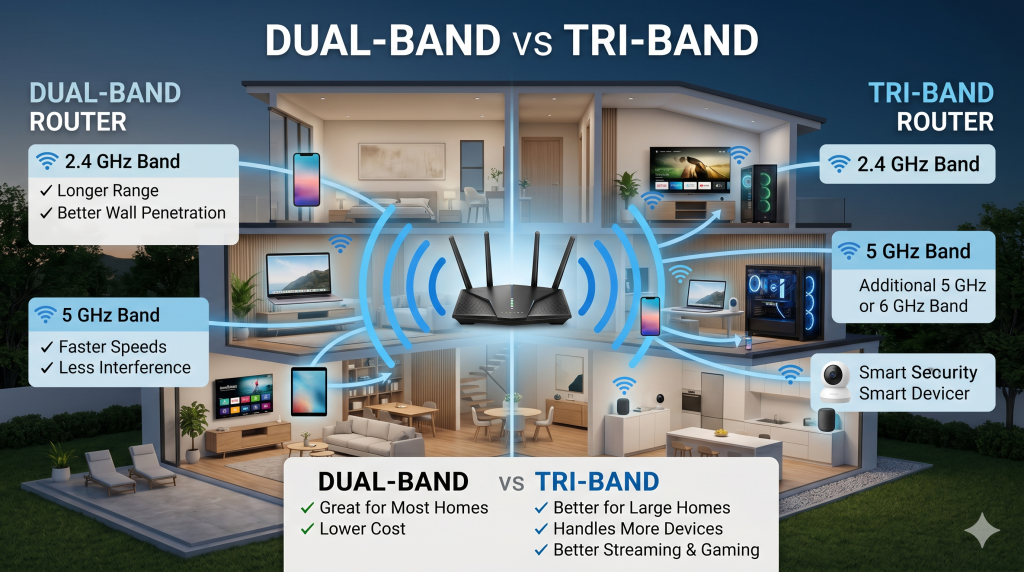
Dual-Band or Tri-Band Technology
Modern routers typically offer:
Dual-Band
- 2.4 GHz
- 5 GHz
Tri-Band
- 2.4 GHz
- 5 GHz
- Additional 5 GHz or 6 GHz band
Tri-band routers often perform better in larger homes with heavy internet usage.
Best Router Types for Large Homes
Traditional Standalone Routers
A powerful standalone router may be sufficient if:
- Your home is under 2,500 square feet
- Most devices are located near the router
- You have minimal WiFi dead zones
Benefits include:
- Lower cost
- Simple setup
- Easy management
Mesh WiFi Systems
Mesh systems use multiple access points that work together as a single network.
Benefits include:
- Whole-home coverage
- Seamless roaming
- Reduced dead zones
- Better multi-floor performance
Mesh WiFi is often the best solution for homes larger than 2,500 square feet.
Gaming Routers
Gaming routers focus on:
- Low latency
- Traffic prioritization
- Faster response times
They are ideal for households with:
- Online gamers
- Heavy streaming
- Multiple simultaneous users
Router Features Worth Paying For
Beamforming Technology
Beamforming directs WiFi signals toward connected devices rather than broadcasting equally in all directions.
Benefits:
- Better range
- Improved speeds
- More stable connections
Quality of Service (QoS)
QoS allows important traffic to receive priority.
Examples:
- Video calls
- Online gaming
- Streaming services
This helps reduce lag and buffering.
Gigabit Ethernet Ports
Even with excellent WiFi, some devices perform best with wired connections.
Examples:
- Gaming PCs
- Smart TVs
- Workstations
- Network storage devices
Gigabit Ethernet ports ensure maximum performance.
Security Features
Choose routers that support:
- WPA3 security
- Automatic firmware updates
- Guest networks
These features improve both security and convenience.
Signs You Need a Better Router
You may need a router upgrade if:
- WiFi doesn’t reach every room
- Internet disconnects frequently
- Streaming constantly buffers
- Video calls freeze
- Gaming experiences lag
- Speeds drop significantly when multiple users are online
These symptoms often indicate router limitations rather than ISP issues.
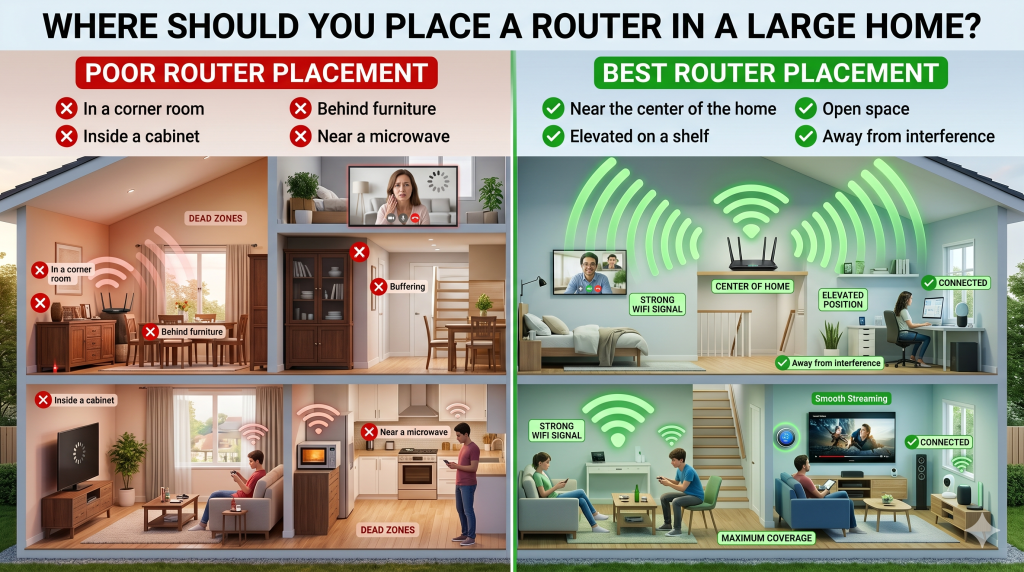
Where Should You Place a Router in a Large Home?
Router placement is just as important as router quality.
For best results:
- Place the router near the center of the home
- Keep it elevated
- Avoid cabinets and enclosed spaces
- Keep it away from large metal objects
- Minimize walls between the router and users
Many coverage issues can be improved simply by relocating the router.
| Feature | Traditional WiFi Router | Mesh WiFi System |
|---|---|---|
| Coverage Area | Up to 2,500 sq ft | 3,000+ sq ft with multiple nodes |
| Best For | Small to medium homes | Large and multi-story homes |
| WiFi Dead Zones | May occur in distant rooms | Significantly reduced or eliminated |
| Roaming Experience | May require reconnecting between access points | Seamless whole-home connectivity |
| Multiple Device Support | Good for moderate device usage | Excellent for smart homes and many devices |
| Streaming & Gaming | Good performance near the router | Consistent performance throughout the home |
| Installation | Simple | Slightly more complex |
| Cost | Lower initial cost | Higher upfront investment |
| Recommended For | Apartments and smaller homes | Large homes, offices, and smart homes |
Recommended Internet Speeds for Large Homes
A fast router cannot compensate for an inadequate internet plan.
Typical recommendations:
Small Family
50–100 Mbps
Medium Family
100–300 Mbps
Large Family
300–500 Mbps
Heavy Users & Smart Homes
500 Mbps–1 Gbps+
Choose a package that matches your household’s actual usage.
Common Router Mistakes to Avoid
Many homeowners unknowingly reduce WiFi performance by:
- Hiding routers inside cabinets
- Placing routers on the floor
- Using outdated hardware
- Ignoring firmware updates
- Using the default WiFi channel
- Connecting too many devices
Avoiding these mistakes can significantly improve performance.
Final Thoughts
The best WiFi router for a large home is one that provides reliable coverage, supports modern WiFi standards, and can handle multiple connected devices simultaneously.
For smaller large homes, a powerful WiFi 6 router may be enough. For larger multi-story homes, a mesh WiFi system is often the most effective solution.
Before upgrading your internet plan, make sure your router, placement, and home network are optimized. In many cases, improving your WiFi setup delivers better results than paying for faster internet speeds.
Frequently Asked Questions
A WiFi 6 or mesh WiFi system typically provides the best coverage for large homes.
For large homes and multi-story properties, mesh systems usually provide superior coverage and fewer dead zones.
Coverage varies, but most traditional routers effectively cover between 1,500 and 2,500 square feet.
Yes. WiFi 6 offers better speeds, improved efficiency, and better performance with multiple connected devices.
Distance, walls, floors, interference, and poor router placement are common causes.
For isolated dead zones, extenders may help. For whole-home coverage, mesh WiFi is usually the better solution.


