





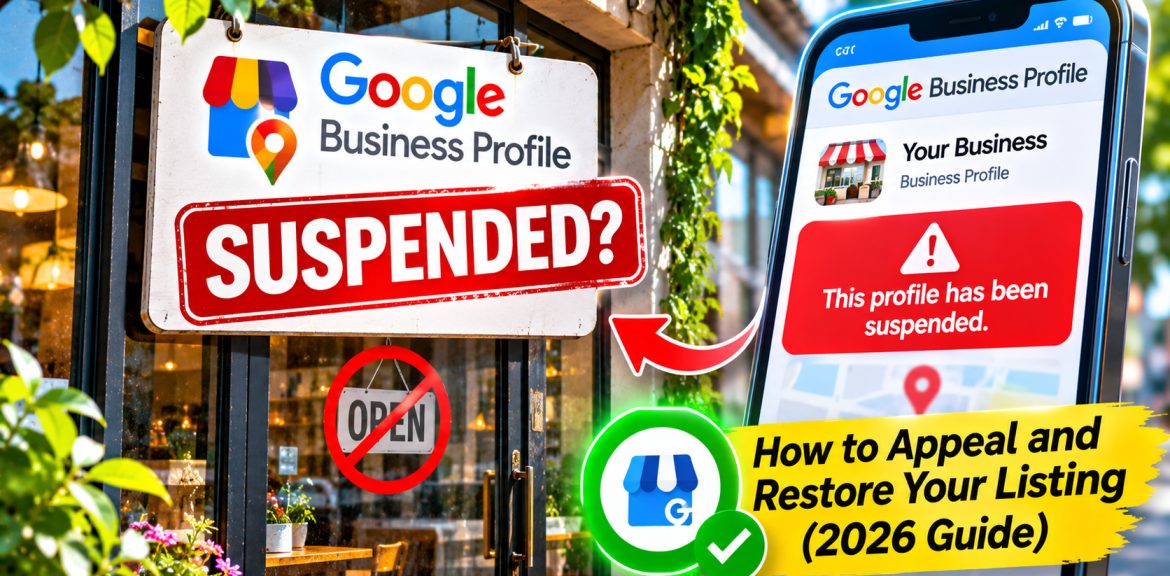

Is your Google Business Profile suspended? First, sign in to the Google Account that manages the profile and check the restriction in Google’s official appeals tool. Review the cited policy, correct any inaccurate business details, gather documents that prove the business is legitimate, and submit an eligible appeal with supporting evidence. Do not create a duplicate listing to bypass the suspension.
When a local business disappears from Google Maps, the consequences feel immediate: customers cannot find opening hours, directions or a trusted business listing. That pressure can lead owners to change their name, create a replacement profile or submit several appeals in a hurry. Those moves can make a confusing situation worse.
This guide explains how to diagnose the problem before appealing, what evidence matters, what the appeals tool actually does, and how to handle difficult cases such as home-based service businesses, virtual offices and account restrictions. It is written for genuine local businesses and their marketing teams—not for businesses trying to evade Google’s eligibility rules.
First: is your Google Business Profile actually suspended?
Not appearing in a Google search is not proof of suspension. A profile might be unverified, affected by an ownership issue, filtered from a particular search, awaiting a change review or subject to a restriction. The correct fix depends on which situation you have.
| What you see | What it may mean | Best first action |
|---|---|---|
| Suspension or disabled notice in the management interface | Google has taken a moderation action against the profile. | Open the official appeals tool and inspect the decision. |
| Profile is unverified | Google may need to confirm your business or management access. | Follow the verification instructions; do not assume a suspension. |
| Someone else manages the profile | An ownership or access issue. | Use the official ownership-request process. |
| Listing appears for its exact name but not for broad keywords | Possible local ranking or relevance issue. | Investigate ordinary local SEO, not reinstatement. |
| Google rejected an edit, image or post | Content moderation, not necessarily a suspended profile. | Use the correct content-appeal or support route for your region. |
Google has different appeal routes for different restrictions and, in some cases, for businesses in the UK or European Economic Area versus elsewhere. Always start with the actual decision shown in your account rather than an old screenshot from a tutorial.
Why does Google suspend Business Profiles?
Google’s guidelines for representing your business require accurate real-world identity, location and business information. A suspension can involve eligibility, representation or other policy concerns. The appeals tool may identify the policy involved, but it may not give you a complete forensic explanation.
1. Your business name contains extra keywords
For example, a company known publicly as “Northfield Plumbing†should not rename its profile “Northfield Plumbing – Best Emergency Plumber Cheap 24/7 London†simply to rank for more searches. Use the business name customers actually encounter in signage and branding. Add services in the appropriate fields instead of stuffing the name.
2. Your address does not represent a genuine eligible location
Google does not treat a rented mailbox or unstaffed virtual office as a normal storefront. A co-working address also has conditions involving signage, staffing and customer access. A genuine business may still be ineligible for the particular address format it selected.
3. You show a residential address when you should use a service area
Plumbers, cleaners and other businesses that travel to customers may qualify as service-area businesses. If customers do not visit your home or office, Google’s guidance generally calls for hiding the address and showing the service area instead. Do not invent a storefront to make the profile look more established.
4. You have duplicate or misleading location profiles
Creating multiple profiles for one location or business without a genuine eligibility basis can create problems. A second listing is not a safe workaround for a suspended first listing. Businesses with multiple real staffed locations should check Google’s specific location rules.
5. Your business details conflict with supporting evidence
If your profile shows a trading name and address that do not match your business records, reviewers may have trouble validating the business. A legitimate difference between registered and trading names may need a clear explanation and supporting proof—not a fabricated document.
6. The managing Google Account is restricted
Google explains that an account-level restriction can affect the Business Profiles managed by that account. In this case, you may need to address the account restriction first, then appeal the affected Business Profile.
The 10-minute suspension diagnosis: what to check before appealing
- Confirm account access. Sign in to the Google Account associated with the Business Profile.
- Open the official suspension help page. Follow its link to the Business Profile appeals tool.
- Select the affected profile. Record the profile name and the moderation decision shown.
- Read the policy link. Check whether the issue concerns the business name, address, eligibility or another rule.
- Compare real-world facts. Check your signage, website, registration, operating location, phone and business category.
- Determine whether the issue is profile-level or account-level. Follow the relevant appeal path.
- Prepare evidence before submitting. The appeals interface and evidence process may have a short submission window.
Do not change five unrelated fields just because the profile is suspended. Correct facts you can substantiate. A focused, truthful appeal is more useful than a collection of speculative edits.
How to appeal a suspended Google Business Profile in 2026
Step 1: Review Google’s eligibility and representation rules
Check the Business Profile guidelines and compare them with your actual business model. A business that only operates online, for example, should not assume it qualifies for a local Business Profile. A service-area business should use the appropriate configuration.
Step 2: Gather credible supporting documents
Google identifies business registration, business licences, tax certificates and business utility bills as examples of evidence. Where possible, documents should align with the name and address on the profile. Use genuine records and explain any legitimate naming differences.
| Evidence | What it helps establish | Check before uploading |
|---|---|---|
| Business registration | Legal existence and registered identity. | Correct legal or trading name. |
| Business licence | Authorization to operate where applicable. | Valid date and location. |
| Tax certificate | Registered business details. | Consistent identifying information. |
| Utility bill | Connection to a real operating address. | Business name and address match where required. |
| Storefront or signage photos | Context about a customer-facing location. | Authentic and current; do not rely on photos as a substitute for required documents. |
Privacy tip: Upload documents only through Google’s official process. Avoid emailing identity or tax documents to unsolicited “reinstatement agents.†Follow Google’s upload requirements and do not publish sensitive records on your website.
Step 3: Open the official appeals tool
Use the link provided in Google’s Fix suspended or disabled profiles instructions. Confirm the correct Google Account and choose the suspended profile. The tool displays information about the moderation decision and whether an appeal is available.
Step 4: Submit an accurate appeal and supporting evidence
Explain briefly what the business does, where it genuinely operates, and why the profile complies with the cited rule. If you corrected an error, say exactly what changed. Attach documents through the official interface if offered.
Step 5: Track the appeal instead of starting over
Use the appeals tool to check the decision status and watch for Google’s email. Google says appeal reviews can take up to five business days in its guidance, but complex cases may not follow a guaranteed timetable. Do not submit repeated appeals for the same decision while one is pending, and do not create a replacement profile.
A sample appeal explanation you can adapt
Illustrative wording only. Replace every bracketed detail with verified facts; do not claim a storefront, staffing or licence that you do not have.
We operate [registered/trading business name] at [eligible location or service area]. Our business provides [specific services] and has operated since [accurate date, if relevant]. We reviewed the policy referenced in the appeal tool and confirmed that our profile details reflect our actual business operations. We have attached [specific authentic documents] to support our business identity and location. If a previous field was inaccurate, we corrected [field] to [accurate information]. We respectfully request a review of the restriction.
Keep the explanation factual. Strong evidence matters more than emotional language, threats or claims about lost revenue.
Three real-world business models—and the correct questions to ask
| Business model | Key question | Common mistake to avoid |
|---|---|---|
| Customer-facing shop or office | Is the location staffed, signed and able to receive customers during stated hours? | Using an unstaffed mailing address as a storefront. |
| Plumber, cleaner or mobile technician | Do staff travel to customers, and is the address hidden if customers do not visit? | Displaying a residential address as a walk-in office. |
| Online-only consultancy or e-commerce store | Does the business actually meet Google’s in-person customer-contact eligibility rules? | Creating a local profile solely to gain Maps visibility. |
These examples are general decision aids, not actual client case studies. Google makes eligibility decisions based on its policies and the specific facts of each business.
What if your Google Business Profile appeal is rejected?
First, read the decision and any available reason. Check whether Google offers an additional review or support path for your case. Do not submit a second profile as a shortcut. Google’s appeal guidance explains regional differences and how to check eligibility for further action.
Revisit the actual eligibility issue. For example, no amount of keyword optimization will make an unstaffed virtual office eligible as a storefront. If the business is eligible but documentation was insufficient, gather better matching records before following an available review route. If the appeal is marked ineligible or cannot be appealed, use Google’s official support guidance rather than buying a promised “guaranteed reinstatement.â€
What should you do while the appeal is pending?
- Keep your website’s contact page, opening hours and service details accurate.
- Make it easy for existing customers to contact you directly by phone, email or your website.
- Review your local landing pages for factual accuracy; do not create dozens of duplicate city pages.
- Keep genuine business documents organized and monitor official appeal updates.
- Do not solicit fake reviews, buy replacement listings or pay for “instant approval.â€
A suspended Business Profile does not automatically mean your website has received a Google Search manual action. Organic website rankings and Business Profile moderation are different systems. If website traffic also fell, use our guide to diagnose sudden Google traffic declines rather than assuming one event proves the cause of the other.
How to reduce the risk of another suspension
After reinstatement, keep a small compliance log. Record the verified business name, actual address or service area, public phone number, business category, managers with access and the date of significant changes. Recheck these facts whenever the business moves, changes name or opens a new staffed location.
For agencies managing multiple clients, use proper access permissions rather than transferring ownership casually. Make sure each client knows which Google Account controls the profile and where their business records are stored. These are good operational practices, not a guarantee against future moderation.
A practical 30-day local visibility recovery plan
| Period | Action | What to measure |
|---|---|---|
| Day 1 | Identify the exact restriction, review policies, collect evidence and submit an eligible appeal. | Appeal status and confirmation. |
| Days 2–7 | Monitor the official tool and email; correct independent website inaccuracies without repeatedly editing the profile. | Decision updates and website contact accuracy. |
| After reinstatement | Verify business details, hours, categories and customer-facing information. | Profile availability and factual consistency. |
| Weeks 2–4 | Review legitimate local search performance and customer enquiries. | Calls, website visits and qualified enquiries where measurable. |
There is no guaranteed reinstatement or recovery date. This schedule is an organizational plan, not a prediction of Google’s decision.
Frequently asked questions
How do I appeal a suspended Google Business Profile?
Sign in with the managing Google Account, open Google’s official Business Profile appeals tool, select the affected profile, review the moderation decision and submit an eligible appeal with truthful supporting evidence.
What documents do I need for Google Business Profile reinstatement?
Google lists business registration, licences, tax certificates and business utility bills as examples. The best evidence depends on your business model and the reason for the restriction. Match business names and addresses where required.
How long does a Google Business Profile appeal take?
Google’s guidance says appeal reviews can take up to five business days, but that is not a guarantee for every case. Track the status in the official appeals tool and check your email.
Can I create a new Google Business Profile if mine is suspended?
No. Google explicitly advises against creating a new profile for the same business while dealing with the restriction. Resolve the original issue through the official process.
Can a home-based business have a Google Business Profile?
Potentially, if it meets Google’s eligibility rules. A service-area business that visits customers may qualify, but should generally hide its residential address if customers do not visit that location.
Does a suspended Google Business Profile hurt my website’s organic SEO?
A Business Profile suspension and a Google Search manual action are different. Losing a Maps listing can affect local discovery, but it does not automatically establish a penalty against your website’s organic pages.
What if the appeals tool says I cannot appeal?
Read the tool’s decision and Google’s current support guidance. Some decisions may not be eligible for further appeal. Use official support options where available rather than creating duplicate listings or buying reinstatement guarantees.
Can an SEO agency guarantee my suspended profile will be restored?
No legitimate agency controls Google’s moderation decisions. A responsible specialist can audit compliance, help organize evidence and guide the official appeal, but cannot guarantee reinstatement.
Final takeaway
A suspended Google Business Profile is a business-verification and policy problem before it is an SEO problem. Diagnose the exact restriction, correct genuine inaccuracies, submit evidence through the official appeals process and avoid shortcuts that could undermine your case. Once the profile is eligible and active, focus on accurate local information and customer experience rather than tricks.
Official sources and further reading
- Google: Fix suspended or disabled Business Profiles.
- Google: Appeal Business Profile content and profile restrictions.
- Google: Guidelines for representing your business.
Editorial note: Google can update appeal steps, evidence windows, eligibility criteria and regional procedures. The official help pages and the current appeals tool take precedence over any static guide. This article is educational and does not guarantee reinstatement.


