


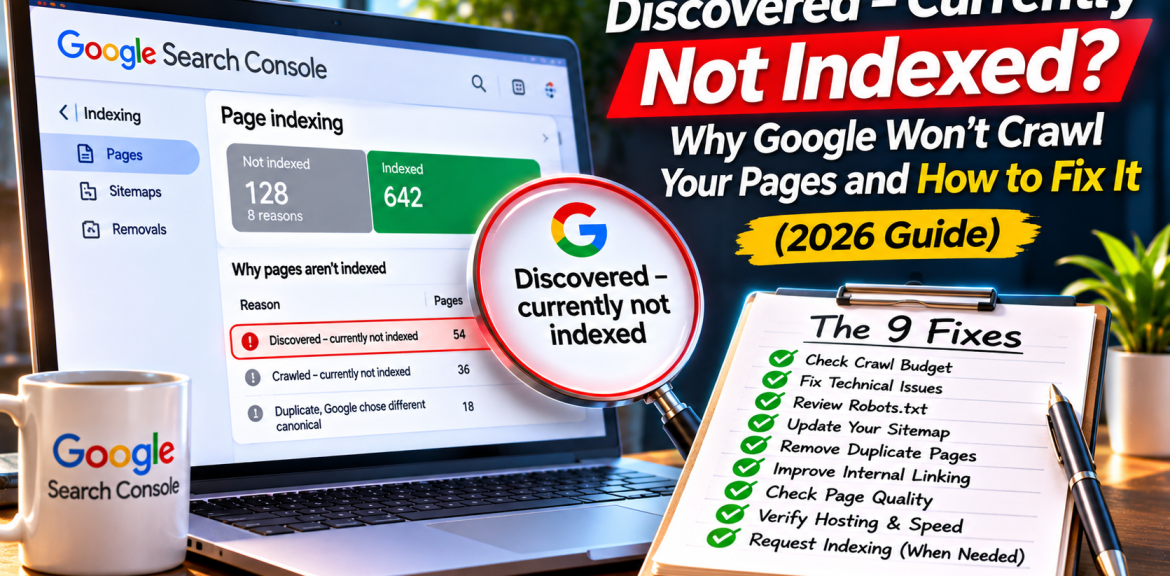

Quick answer: “Discovered – currently not indexed†in Google Search Console means Google knows a page’s URL but has not crawled it yet. Google says this can happen when a crawl is postponed to avoid overloading a site. It does not, by itself, prove that your content is poor, your server is broken, or your website has been penalized. Start by checking whether the page matters, whether Google can reach it, and whether your site makes it easy to discover.
Updated November 2026 · Technical SEO troubleshooting guide for website owners, WordPress publishers and digital marketers.
What “Discovered – currently not indexed†actually means
Imagine you send a colleague a link to a report. They know the report exists, but haven’t opened it. That’s roughly the difference between discovery and crawling. Google may discover a URL from an XML sitemap, a link on your website or a link elsewhere. It must fetch and process the page before it can consider indexing it.
In the official Page indexing report, Google defines this status as a URL it found but has not yet crawled, and notes that the crawl may have been rescheduled to avoid overloading the site. An empty last-crawl date is expected for this status.
| Search Console status | What happened? | First response |
|---|---|---|
| Discovered – currently not indexed | URL known; crawl not yet completed | Check discovery, server health and priority |
| Crawled – currently not indexed | Google fetched the URL but did not index it | Inspect the fetched content and page usefulness |
| Blocked by robots.txt | Crawling prevented by a robots rule | Check whether the block is intentional |
| Excluded by ‘noindex’ | Indexing explicitly discouraged | Remove noindex only if the page should be indexed |
These are different diagnoses. Don’t apply the same fix to every “Not indexed†URL. For the broader beginner’s checklist, see Why Is My Website Not Showing on Google?
The five-minute decision: does this URL deserve to be indexed?
- Is it a public, useful page? A unique guide, product, service or location page may be important. An internal search URL or sort-order variation usually isn’t.
- Is it the preferred version? Check whether another URL already serves the same purpose, such as a trailing-slash variant or filtered product page.
- Is it reachable from normal navigation? A page linked only in a sitemap is harder for visitors to find.
- Is it new? New URLs can take days or longer to be crawled; there is no guaranteed deadline.
- Is this one page or a pattern? A few recent URLs and hundreds of old, important URLs call for different responses.
How to diagnose the problem in Google Search Console
Step 1: Open the Page indexing report
In your verified Search Console property, open Indexing → Pages and select Discovered – currently not indexed. Review the examples. Search Console examples are not necessarily a complete list of affected URLs.
Step 2: Inspect one important URL
Paste the full canonical URL into URL Inspection. Record its indexing status, referring sitemap and any discovery details. Use Test Live URL to see whether Google can currently fetch the page. Remember: a successful live test does not guarantee future crawling or indexing.
Step 3: Check the actual page, not only the dashboard
Open it in a private browser window. Does it return a normal page, or a login screen, challenge page, redirect loop or server error? Confirm the intended canonical URL, public visibility and internal links. If your hosting or CDN challenges legitimate Googlebot traffic, investigate the security rules rather than disabling all protections.
Step 4: Check sitemap and internal links
Ensure the canonical URL appears in a valid XML sitemap and is linked from at least one relevant, crawlable page. A sitemap is a discovery hint, not a command to index. Add a contextual link because it genuinely helps a reader—not because you want to manufacture link counts.
Step 5: Record the baseline before changing anything
Save the date, URL, report status, last site update and any server or plugin changes. Without a baseline, it’s easy to mistake natural crawling delays for the effect of a change you made yesterday.
Nine possible causes—and the right response to each
| Possible cause | What to check | Practical response |
|---|---|---|
| New page or site | Publication date and site history | Wait reasonably; ensure sitemap and links are present |
| Server capacity or intermittent failures | Hosting logs, 5xx errors, response times, uptime | Fix actual capacity or reliability issues |
| Large number of low-value URLs | Filters, tags, pagination, parameters | Improve URL architecture; avoid exposing endless variants |
| Weak internal discoverability | Navigation, related articles, orphan pages | Link important URLs from relevant indexed pages |
| Stale or inaccurate sitemap | URLs, redirects, canonicals, lastmod accuracy | Include intended canonical URLs; maintain truthful updates |
| Conflicting URL versions | HTTP/HTTPS, www/non-www, trailing slash | Consolidate preferred URLs and redirects |
| Bot challenges or firewall rules | CDN, WAF, security plugins, access logs | Verify Googlebot and fix unintended blocking |
| Weak site structure | Deep pages with few relevant links | Organize content around useful topic pathways |
| Temporary crawl scheduling | Age of status and site-wide pattern | Monitor; don’t make disruptive changes without evidence |
Important: These are diagnostic possibilities, not a list of confirmed Google ranking factors or guaranteed explanations for every affected URL. The status alone cannot identify the root cause.
A WordPress-specific checklist (Rank Math, Yoast and hosting)
- WordPress visibility: In Settings → Reading, check whether “Discourage search engines from indexing this site†is enabled unintentionally.
- SEO plugin: Check whether the article is marked noindex, and whether its canonical URL points to the intended page. Noindex is a separate status, but conflicting settings can complicate diagnosis.
- XML sitemap: Open the sitemap generated by Rank Math or Yoast. Confirm the page is listed only if you want it indexed.
- Internal links: Add a natural link from a relevant published guide, category page or resource hub.
- Cache and CDN: Verify that Googlebot can receive the same accessible article as normal visitors; inspect any challenge or bot-protection rules.
- Hosting logs: If many pages are stuck, look for patterns of server errors or overloaded resources. Do not assume a slow page is the cause without measurements.
- Duplicate archives: Check tag, date, author and parameter URLs. Not every archive needs to be indexed.
A useful example: 40 URLs marked “Discoveredâ€
Illustrative scenario, not a client case study: A WordPress publisher finds 40 discovered URLs. Twelve are newly published guides, eight are old service pages, and twenty are tag or parameter variations.
It would be a mistake to request indexing for all 40. The publisher first checks the eight service pages for crawl accessibility and navigation links, verifies the twelve new guides are properly linked and in the sitemap, and determines whether the twenty variations are intended search landing pages at all. The result is a prioritized audit—not a promise that Google will index 40 pages.
When should you request indexing?
After confirming that an important URL is accessible, useful, correctly configured and linked, you can use URL Inspection’s Request indexing option. Google does not guarantee indexing or immediate crawling. Repeated requests do not substitute for fixing a genuine site-wide issue. For many URLs, maintain a valid sitemap rather than manually requesting each one.
What not to do
- Don’t rewrite a strong page just because it hasn’t been crawled yet.
- Don’t publish near-duplicate pages to “force†Google to discover more URLs.
- Don’t change every canonical, redirect and robots rule at once.
- Don’t buy indexing guarantees or assume an indexing API supports ordinary blog articles.
- Don’t confuse indexing with ranking: even indexed pages may receive few impressions.
How this affects Google AI Overviews and AI Mode
Google says a page must be indexed and eligible to appear in Search with a snippet to qualify as a supporting link in AI Overviews or AI Mode. There is no special AI indexing file or schema required. That means resolving discovery and crawl problems is a foundational step—but it does not guarantee an AI citation. See Google’s AI features guidance.
A realistic 14-day follow-up plan
| When | Action | What to record |
|---|---|---|
| Day 1 | Inspect 5–10 priority URLs and categorize them | Status, age, page type, live test |
| Days 2–3 | Fix verified access, sitemap or linking problems | Exactly what changed |
| Days 4–7 | Monitor logs and Search Console; avoid unnecessary edits | New crawls, errors, indexed URLs |
| Days 8–14 | Recheck representative URLs; escalate persistent site-wide issues | Trend and remaining blockers |
This is an operational review schedule, not a promise that Google will crawl or index pages within 14 days.
Frequently asked questions
Is “Discovered – currently not indexed†a Google penalty?
No. The status means Google knows the URL but has not crawled it yet. It does not, by itself, establish a manual action or penalty.
Does it mean my content is low quality?
Not necessarily. Google has not yet crawled the URL according to this status, so you cannot infer a page-level content assessment from the label alone.
How long does Google take to crawl a discovered page?
There is no fixed deadline. It can take days or longer, and some URLs may never be crawled or indexed.
Should I submit my sitemap again?
First confirm it is valid and contains the intended canonical URLs. Repeatedly submitting an unchanged sitemap is not a guaranteed fix.
Can slow hosting cause this status?
Server capacity and reliability can affect crawling, but investigate logs and real errors before attributing the status to hosting.
Is this the same as “Crawled – currently not indexed�
No. In the crawled status, Google has fetched the page. In the discovered status, Google has not yet crawled it.
Will adding schema markup fix it?
No schema type guarantees crawling or indexing. Prioritize access, discoverability and useful content.
Can an uncrawled page appear as a source in Google AI Overviews?
To be eligible as a supporting link, Google says a page must be indexed and eligible for a Search snippet. A URL still awaiting its first crawl does not meet that requirement.
Final takeaway
Don’t treat “Discovered – currently not indexed†as a verdict on your website. Treat it as a triage signal: identify valuable pages, verify accessibility, simplify URL discovery, check real server evidence, and then give Google time. The most useful SEO work is diagnosing the right problem before changing the wrong thing.


